


Hey folks!
Well… we’ve done it, folks. YEN is officially v1.0! Whoot. 🎉
I do not use version numbers as marketing confetti, though. I mean, v1.000 — or how I’ve been numbering it — is not me pretending the work is done. It is me saying the thesis is real now. The product I wanted to build is no longer hypothetical. It is in the repo, in the shipped app, in the release harness, in the native macOS surfaces, and in the command surface I use every day.
I use YEN to build YEN, a fun little personal project — built on top of libghostty — that a lot of folks have started to use. For that, I am super grateful.
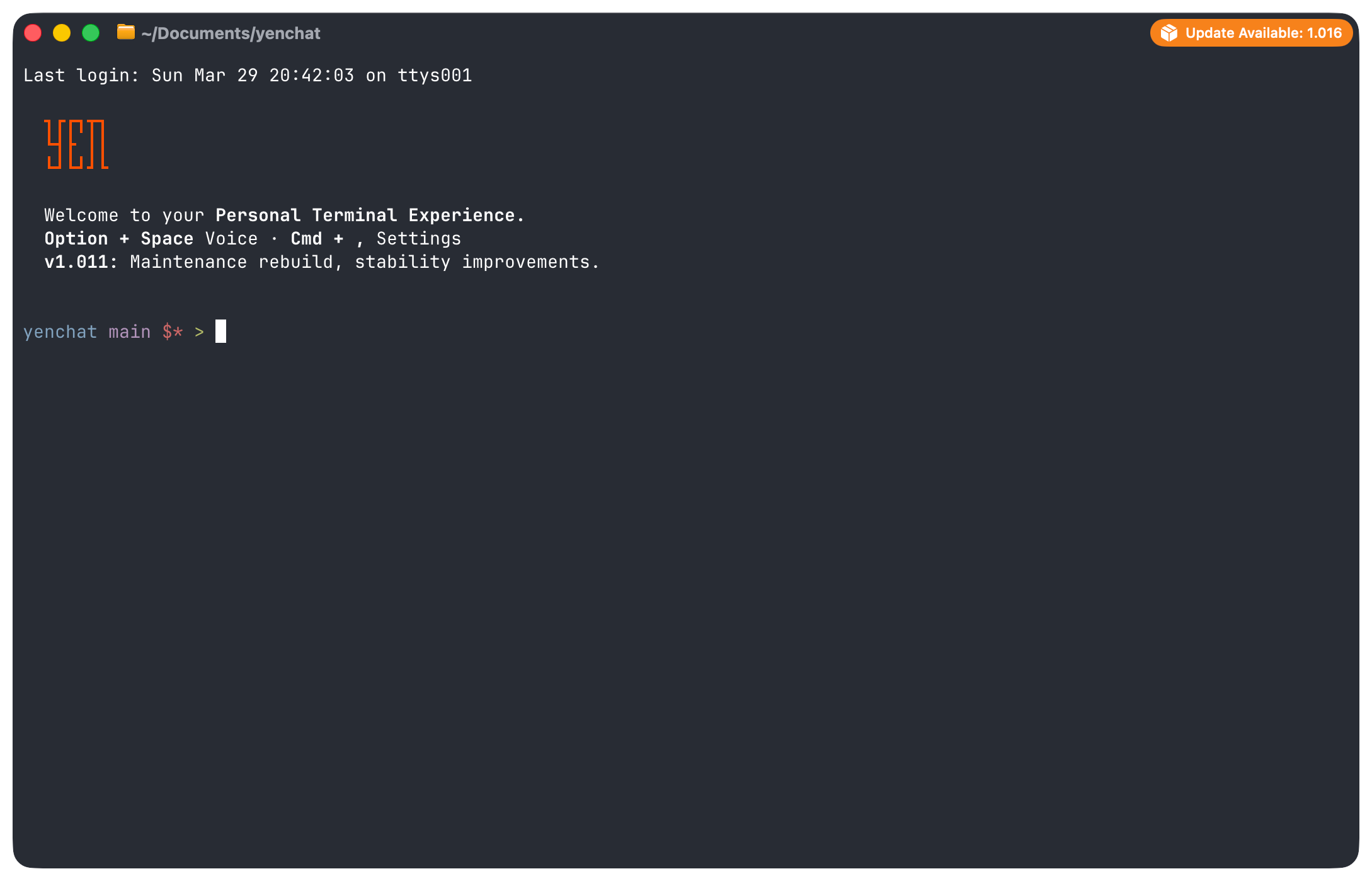
The Thesis.
Most IDEs are text editors that bolted on a terminal panel. The editor gets the architecture. The terminal gets a rectangle near the bottom of the window. The editor gets search, code intelligence, review, migration, workflow automation, collaboration, and the language about focus and speed. The terminal gets treated like a utility room.
I wanted the opposite.

Because the terminal is where code meets reality. It is where builds fail, services restart, migrations run, diagnostics become useful, containers get launched, review comments turn into actions, and dangerous commands should feel dangerous before you press the “Enter” key.
YEN starts with a fast native terminal on macOS and layers IDE capability around that terminal-first workflow. Keep the core local-first. Use native APIs where they are genuinely better. Stay in the terminal unless a richer native surface is actually justified.
That is the whole product in one paragraph.
What v1.0 Actually Ships.
This is not a terminal with a roadmap attached. It is already a broad terminal-first system. The new IDE layer matters most here.
YEN now ships project detection, trusted environment loading, local LSP lifecycle and diagnostics, AST fallback, universal project search, verification bundles, approval gates for risky commands, workflow execution, PR review tooling, terminal sharing, local devcontainer control, deterministic VS Code inventory and import, and native macOS PR review and merge-conflict workspaces launched from the command palette. That is the point where “terminal-first IDE” stopped being a slogan and became a product characteristic.
But v1.0 is not only an IDE story. It is also a story about making the terminal feel like an environment instead of a blank shell. YEN ships a built-in file browser, command palette, tab sidebar, scratchpad, split layout presets, split labels, screenshot tooling, curated themes, keyboard remapping with conflict detection, managed notification sounds, bundled CLI tools, weather, and a pile of native macOS utility surfaces that make the product feel inhabited on first launch instead of empty.
It also ships communication where most terminals would not even try. Chat, mail, and calendar are all separate Go TUIs. Mail and calendar use OAuth with PKCE and store tokens in the macOS keychain. Chat runs through mediated YEN-owned API surfaces, binds identity server-side, and keeps anonymous direct database access intentionally closed. None of that exists as novelty for novelty’s sake. It exists because I think the terminal can hold more of a working environment than most tools assume, especially when it removes the lazy default of making you tab back out to a web app for a workflow you were already in the middle of.
The Terminal-First IDE Part.
The newest layer is the one I cared about most going into this milestone. I did not want YEN to say “terminal-first” and then quietly shove the serious workflows into a browser pane, a cloud dashboard, or a second application model. I wanted the terminal to stay central.
That is why the IDE layer stays honest about what it is doing. If YEN is using live LSP, it says so. If it falls back to AST, it says so. If a project has not been trusted, it says so. If a share session exists, it is explicit. If a command is risky, the gate should behave like it. The command palette is not just a launcher any more. It is a terminal-native IDE entry point. The native macOS review and merge-conflict windows are not an escape hatch away from the terminal. They are closer-to-the-metal extensions of the same workflow.
That distinction matters to me. I am not trying to cosplay as a giant editor suite. I am trying to build an IDE around the place where engineers already end up doing the real work.
The Technical Patterns That Made It Work.
The most important pattern in YEN is vendor, do not fork. The upstream terminal engine stays mirrored as an exact upstream tree. YEN-specific behavior lives in overlays and integration layers. The same philosophy shows up in bundled tools. If an upstream project already does the job well, I would rather integrate it carefully than reinvent it badly just to preserve some fantasy of purity.
The second pattern is native-first. If macOS already has the right API, I want to use the OS instead of shipping a giant dependency. That is why YEN uses native helpers for video, PDF, and SVG preview paths, native keychain handling, native notification delivery, native screenshot flows, and native AppKit utility windows.
It is also why the bundle shed a ridiculous amount of weight: Replacing ffmpeg, poppler, and 7zip-style baggage with native helpers and system tooling saved about 258.8 MB compared with the heavier alternative. That kind of decision is not glamorous, but it changes what the product feels like to install, ship, and maintain.
The third pattern is trust before convenience. I do not want silent authority. Project trust, environment trust, LSP trust, sharing trust, workflow trust, and release verification all exist because I would rather add a little ceremony than hide risk behind a friendly button label.
The Native macOS Bet.
YEN is intentionally macOS-first. That is not an accident and it is not a temporary inconvenience I keep apologizing for. It is the product bet.
The clearest example is speech-to-text. Press Option + Space and YEN can capture audio, transcribe it on-device using Apple’s speech stack, show live state in a floating overlay, recover cleanly when permissions or local speech assets are missing, and insert the result back into the active context.
That works inside YEN and across other macOS apps. The same native bet shows up in settings, preview helpers, notifications, launch-at-login behavior, keychain-backed auth, screenshot tooling, and the command-palette-driven utility surfaces.
The trade-off is obvious. I do not get to claim “runs everywhere.” The upside is just as obvious. I get depth instead of pretending that a lowest-common-denominator abstraction is enough.
What the Repo Says.
I did not want this post to hand-wave the effort. The numbers below are the repo snapshot as of March 29, 2026:
Start: November 6, 2025
Commits: 4,616
Time: 144 days
Average: 32.06 commits per day
Lines of Code: 136,000
Contributors: 1
And yes, the contributor count is the part that still hits me emotionally. There is no hidden engineering org behind this post. It is just me, the repo, the build system — which is cool af — and the users, and a stupid number of tiny decisions stacked on top of each other until they started to look like a product.

But I made it.
The Scope Was Bigger Than One App.
YEN stopped being "one app" a while ago. The repo includes the marketing site, the release metadata surface, the desktop app, the overlay system, build and release automation, the CLI entrypoint, chat, mail, calendar, shared auth packages, database migrations, docs, tests, and a fairly serious asset pipeline.
Yeah, it’s a lot.
That breadth is exactly why I keep describing YEN as a system. The desktop app matters, obviously, but the product is also the release harness, the signing discipline, the docs, the migration logic, the auth model, the sound-pack delivery, the updater, the whitepaper, and the public website that stays in sync with what ships.
I’m pretty fucking proud of it all, to be honest.
What I Learned Building This Alone.
A few thoughts on this topic, while we’re here:
Scope is survivable if the system is honest. A repo this broad only stays manageable if the build fails loudly, the trust model stays explicit, the docs remain current enough to lean on, and the release path is deterministic enough that I can sleep after a ship.
Shipping teaches faster than theorizing. I could have spent another six months polishing a grand story about terminal-first computing. That would have been a mistake. The actual product got better because I shipped, watched where friction showed up, fixed it, and repeated that process an embarrassing number of times.
Documentation is leverage. The 15k lines of docs in this repo are not decoration. They are a force multiplier. Once a project gets this broad, undocumented decisions become a tax on every future change, especially when the future developer is still just me.
Taste matters. I do not buy the idea that taste is fluff. Taste is what decides whether a shortcut belongs, whether a command palette feels honest, whether a panel deserves to exist, whether a feature should stay terminal-native, whether a native window is warranted, and whether a clever abstraction is actually making the product worse.
Solo does not mean small. Solo still means constrained. It still means trade-offs. It still means there are things I cannot do yet. But it does not have to mean shallow. With the right architecture, automation, documentation habits, and release discipline, a solo developer can build something wide and deep without pretending it is small.
This has been a very fun trip and one that’s just beginning since it’s a daily tool that I need to use to feed and clothe myself. So, I’ll be here for a while, cranking on YEN every single day because I just really, really, really like it.
YEN isn’t just a fast terminal. It is not just a speech-to-text experiment. It is not just a file browser wrapper. It is not just a fun macOS utility surface. It is a terminal-first IDE platform with a clear thesis, a local-first core, explicit trust boundaries, a real shipped IDE layer, native macOS depth, bundled first-launch usefulness, and a release system that can keep up with the ambition of the product.
And that’s what the milestone marks.
Not perfection.
Not completion.
Clarity.
What Comes Next.
There is still a lot left to do. There is more IDE depth to build, more workflow hardening to do, more collaboration and review ergonomics to refine, more polish to add to the native surfaces, and more places where trust, diagnostics, and context can get sharper.
But I feel very differently about the project now than I did a few months ago. The shape is clear. The identity is clear. The system can carry the ambition now.
If you have been following along, testing builds, reading posts, reporting bugs, or just quietly paying attention while I kept shipping into the void, thank you. This milestone has my name on it in git history, but no product gets here in a vacuum. The feedback loops mattered. The curiosity mattered. The pressure to keep the quality bar high mattered. It helps. I’m grateful.
YEN v1.0 is here, and I’m just getting started.
— 8