


Hey folks!
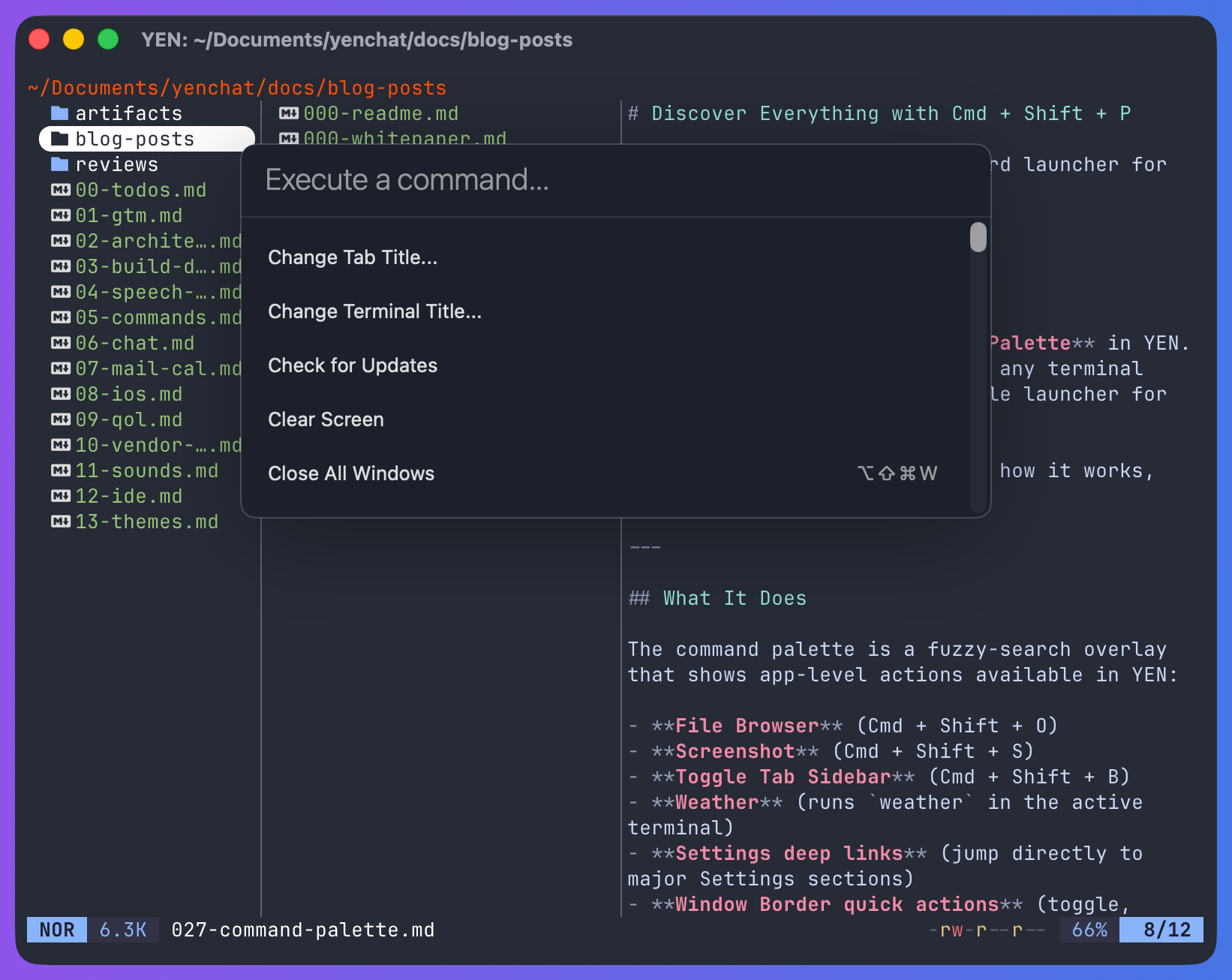
We just shipped the Command Palette in YEN. Press Cmd + Shift + P from any terminal surface and you get a searchable launcher for everything the app can do.
What It Does
The command palette is a fuzzy-search overlay that shows app-level actions available in YEN:
File Browser — Cmd + Shift + O
Screenshot — Cmd + Shift + S
Toggle Tab Sidebar — Cmd + Shift + B
Weather — Runs weather in the active terminal
Settings Deep Links — Jump directly to major Settings sections
Window Border Quick Actions — Toggle, Match Theme toggle, palette cycling, animation toggle, open Reduce Motion settings
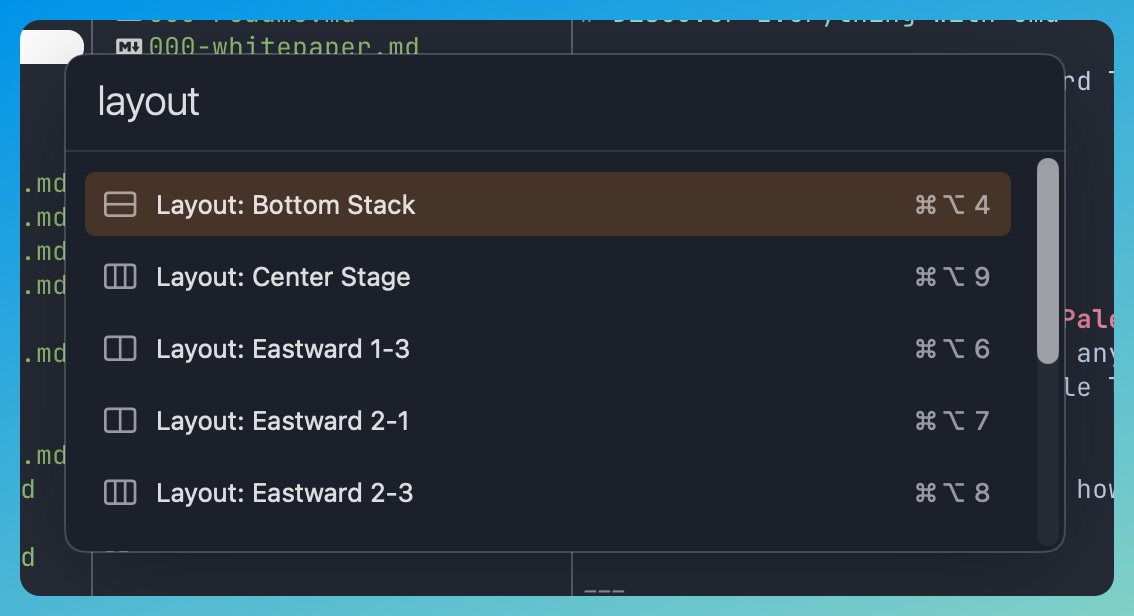
All 10 layout presets — Cmd + Option + 1-0
Jump to any Open Surface — Cross-window navigation
User-Configured Terminal Commands — From config.yen command-palette-entry
Updates — Install or skip, when available
Every entry shows its keyboard shortcut, an SF Symbol icon, and a description. Start typing and the list filters instantly.
Why This Matters
YEN has a lot of features now. Speech-to-text, file browser, split layouts, chat, mail, calendar, notification sounds, keyboard shortcuts with conflict detection.
The problem: How does a user discover all of this? The Settings panel is one path. The menu bar is another. But both require knowing where to look. The command palette is the answer to “I know this feature exists, how do I get to it?” and also “what features does this app even have?”
Type “layout” and you see all 10 presets. Type “screenshot” and there it is. One interface, zero memorization.
Give it a try!
— 8