


Hey folks!
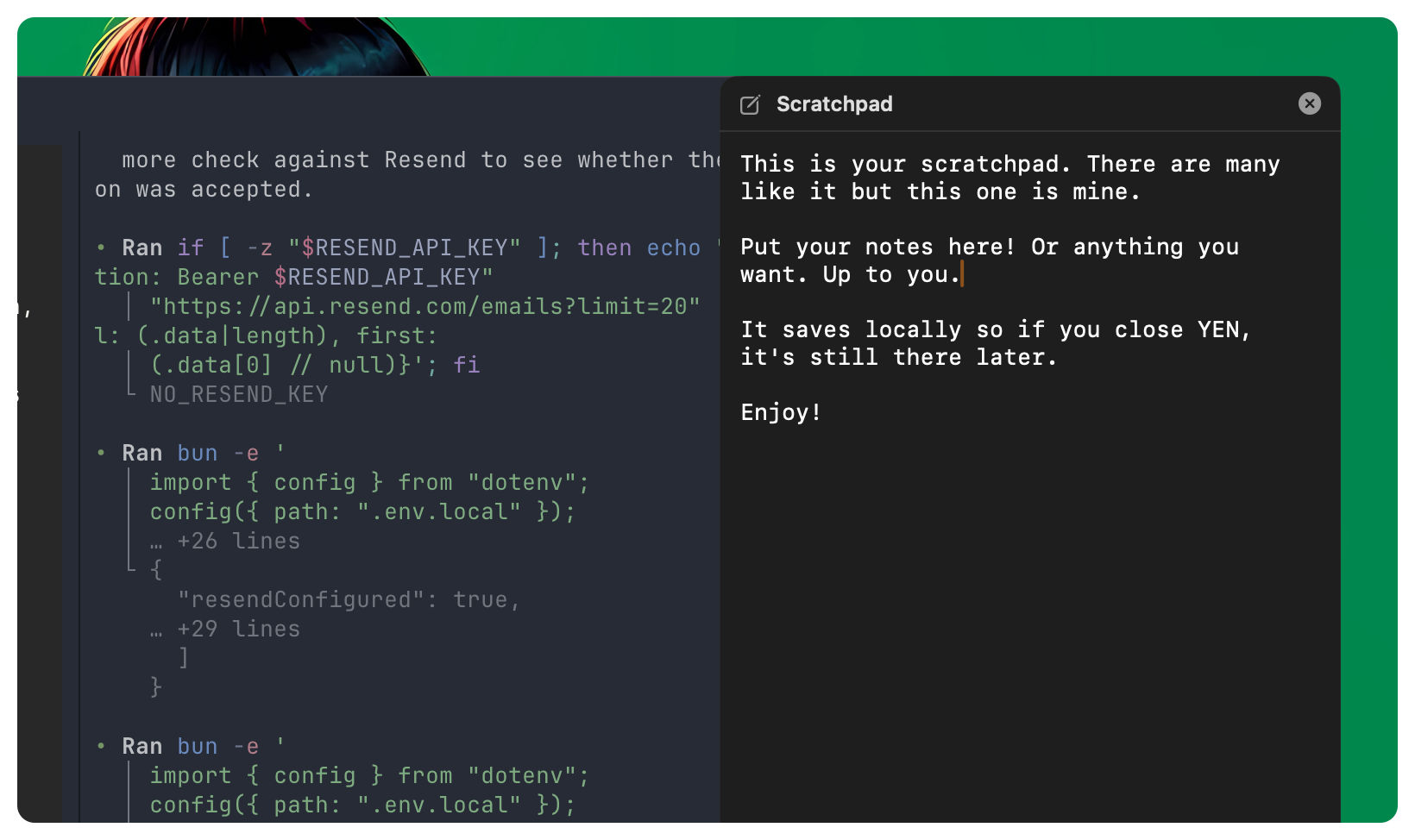
YEN now includes a native scratchpad panel! Press Cmd + Shift + J and a right-side panel opens. Type. Paste. Close it. Reopen it later. Your text is still there.
Copy/paste works with standard macOS shortcuts, and mouse text selection auto-copies. No setup. No plugin. No cloud account. No extra app.
Why We Built It
When you’re deep in terminal work, random text shows up constantly:
A command you want to run later
A branch name from chat
An error snippet worth keeping
A checklist for a deploy
Switching to Notes breaks flow. Dropping text into random files creates noise. Temporary buffers disappear when they matter most.
The scratchpad is built for that exact gap: Quick capture without context switching. And you never have to leave your Terminal.
How It Works Under the Hood
It’s as simple as you might think.
Fixed, Predictable Shortcut — Scratchpad uses Cmd + Shift + J. It is intentionally a fixed app shortcut, shown as locked in Keyboard settings so users can discover conflicts without accidentally remapping core behavior. The Workspace tab also has a Scratchpad toggle with clear hotkey hints.
Right-Side Native Panel — The panel is a native floating panel that anchors to the active terminal window and slides in/out on toggle. It is keyboard-first, stays lightweight, and does not add a browser-style surface to your terminal workflow.
One Global Buffer — Scratchpad is app-global with one buffer, shared across windows and tabs, and holds the same content everywhere. That keeps it dead simple for fast capture.
Smart Fresh Start + Local Persistence — On a brand-new install, scratchpad starts with a short helper template and the cursor positioned below it so you can type immediately. After that, your own content is persisted locally in Application Support with atomic file writes. That also means that the content survives app restarts, writes are crash-safe by default, and there isn’t a sync layer and zero account dependency. Local-first!
Standard Editing Behavior — Scratchpad now respects the editing behavior macOS users expect: Cmd + C, Cmd + V, and highlight-to-auto-copy.
Tiny feature, big daily-use win. Open, paste, close, continue.
Only forward.
— 8
Better than warp, 0 complaints