← Digital Onigiri

From the creator · Week of Mar 23–29, 2026

YEN v1.000 is Here

The story of how YEN became a Terminal-first IDE.

Technical updates

18 builds through v1.017

YEN crossed 1.0. The milestone build itself was deliberately unglamorous — a terminal-engine sync and vendor refresh — because the point of 1.0 was that nothing needed to be special about it: the product underneath had already become dependable.

The week around it belonged to wallpaper. A scope toggle chooses whether a background fills the whole window or each split, iCloud-stored images gained download retry, titlebar transparency and whole-window display were fixed, and a flicker on config changes was eliminated — five releases of persistence until backgrounds simply worked.

The updater also learned manners: it now asks permission before checking automatically. A restored Settings design brought back the cleaner, familiar layout, and IDE detection got faster. Eighteen builds, one number rollover, and a workspace that finally felt ready to call home.

Every build that week, v1.000 to v1.017 ↗

Written by hand

Notes from the creator

YEN v1.000 is Here

The story of how YEN became a Terminal-first IDE.

Hey folks!

Well… we’ve done it, folks. YEN is officially v1.0! Whoot. 🎉

I do not use version numbers as marketing confetti, though. I mean, v1.000 — or how I’ve been numbering it — is not me pretending the work is done. It is me saying the thesis is real now. The product I wanted to build is no longer hypothetical. It is in the repo, in the shipped app, in the release harness, in the native macOS surfaces, and in the command surface I use every day.

I use YEN to build YEN, a fun little personal project — built on top of libghostty — that a lot of folks have started to use. For that, I am super grateful.

The Thesis.

Most IDEs are text editors that bolted on a terminal panel. The editor gets the architecture. The terminal gets a rectangle near the bottom of the window. The editor gets search, code intelligence, review, migration, workflow automation, collaboration, and the language about focus and speed. The terminal gets treated like a utility room.

I wanted the opposite.

A Terminal-First IDE and Earning Trust

Hey folks!

Because the terminal is where code meets reality. It is where builds fail, services restart, migrations run, diagnostics become useful, containers get launched, review comments turn into actions, and dangerous commands should feel dangerous before you press the “Enter” key.

YEN starts with a fast native terminal on macOS and layers IDE capability around that terminal-first workflow. Keep the core local-first. Use native APIs where they are genuinely better. Stay in the terminal unless a richer native surface is actually justified.

That is the whole product in one paragraph.


What v1.0 Actually Ships.

This is not a terminal with a roadmap attached. It is already a broad terminal-first system. The new IDE layer matters most here.

YEN now ships project detection, trusted environment loading, local LSP lifecycle and diagnostics, AST fallback, universal project search, verification bundles, approval gates for risky commands, workflow execution, PR review tooling, terminal sharing, local devcontainer control, deterministic VS Code inventory and import, and native macOS PR review and merge-conflict workspaces launched from the command palette. That is the point where “terminal-first IDE” stopped being a slogan and became a product characteristic.

But v1.0 is not only an IDE story. It is also a story about making the terminal feel like an environment instead of a blank shell. YEN ships a built-in file browser, command palette, tab sidebar, scratchpad, split layout presets, split labels, screenshot tooling, curated themes, keyboard remapping with conflict detection, managed notification sounds, bundled CLI tools, weather, and a pile of native macOS utility surfaces that make the product feel inhabited on first launch instead of empty.

It also ships communication where most terminals would not even try. Chat, mail, and calendar are all separate Go TUIs. Mail and calendar use OAuth with PKCE and store tokens in the macOS keychain. Chat runs through mediated YEN-owned API surfaces, binds identity server-side, and keeps anonymous direct database access intentionally closed. None of that exists as novelty for novelty’s sake. It exists because I think the terminal can hold more of a working environment than most tools assume, especially when it removes the lazy default of making you tab back out to a web app for a workflow you were already in the middle of.


The Terminal-First IDE Part.

The newest layer is the one I cared about most going into this milestone. I did not want YEN to say “terminal-first” and then quietly shove the serious workflows into a browser pane, a cloud dashboard, or a second application model. I wanted the terminal to stay central.

That is why the IDE layer stays honest about what it is doing. If YEN is using live LSP, it says so. If it falls back to AST, it says so. If a project has not been trusted, it says so. If a share session exists, it is explicit. If a command is risky, the gate should behave like it. The command palette is not just a launcher any more. It is a terminal-native IDE entry point. The native macOS review and merge-conflict windows are not an escape hatch away from the terminal. They are closer-to-the-metal extensions of the same workflow.

That distinction matters to me. I am not trying to cosplay as a giant editor suite. I am trying to build an IDE around the place where engineers already end up doing the real work.


The Technical Patterns That Made It Work.

The most important pattern in YEN is vendor, do not fork. The upstream terminal engine stays mirrored as an exact upstream tree. YEN-specific behavior lives in overlays and integration layers. The same philosophy shows up in bundled tools. If an upstream project already does the job well, I would rather integrate it carefully than reinvent it badly just to preserve some fantasy of purity.

The second pattern is native-first. If macOS already has the right API, I want to use the OS instead of shipping a giant dependency. That is why YEN uses native helpers for video, PDF, and SVG preview paths, native keychain handling, native notification delivery, native screenshot flows, and native AppKit utility windows.

It is also why the bundle shed a ridiculous amount of weight: Replacing ffmpeg, poppler, and 7zip-style baggage with native helpers and system tooling saved about 258.8 MB compared with the heavier alternative. That kind of decision is not glamorous, but it changes what the product feels like to install, ship, and maintain.

The third pattern is trust before convenience. I do not want silent authority. Project trust, environment trust, LSP trust, sharing trust, workflow trust, and release verification all exist because I would rather add a little ceremony than hide risk behind a friendly button label.

The Native macOS Bet.

YEN is intentionally macOS-first. That is not an accident and it is not a temporary inconvenience I keep apologizing for. It is the product bet.

The clearest example is speech-to-text. Press Option + Space and YEN can capture audio, transcribe it on-device using Apple’s speech stack, show live state in a floating overlay, recover cleanly when permissions or local speech assets are missing, and insert the result back into the active context.

That works inside YEN and across other macOS apps. The same native bet shows up in settings, preview helpers, notifications, launch-at-login behavior, keychain-backed auth, screenshot tooling, and the command-palette-driven utility surfaces.

The trade-off is obvious. I do not get to claim “runs everywhere.” The upside is just as obvious. I get depth instead of pretending that a lowest-common-denominator abstraction is enough.


What the Repo Says.

I did not want this post to hand-wave the effort. The numbers below are the repo snapshot as of March 29, 2026:

  • Start: November 6, 2025

  • Commits: 4,616

  • Time: 144 days

  • Average: 32.06 commits per day

  • Lines of Code: 136,000

  • Contributors: 1

And yes, the contributor count is the part that still hits me emotionally. There is no hidden engineering org behind this post. It is just me, the repo, the build system — which is cool af — and the users, and a stupid number of tiny decisions stacked on top of each other until they started to look like a product.

From Makefiles to Agentic Skills: Shipping a 30-Language Desktop App via a Single Command

A big thank you to Codex SF for hosting an event that inspired this long sermon on agent harnesses, to George for allowing me to speak, to Andrew and George setting the tone, and to Angela who was the first to ask for my presentation!

But I made it.


The Scope Was Bigger Than One App.

YEN stopped being "one app" a while ago. The repo includes the marketing site, the release metadata surface, the desktop app, the overlay system, build and release automation, the CLI entrypoint, chat, mail, calendar, shared auth packages, database migrations, docs, tests, and a fairly serious asset pipeline.

Yeah, it’s a lot.

That breadth is exactly why I keep describing YEN as a system. The desktop app matters, obviously, but the product is also the release harness, the signing discipline, the docs, the migration logic, the auth model, the sound-pack delivery, the updater, the whitepaper, and the public website that stays in sync with what ships.

I’m pretty fucking proud of it all, to be honest.


What I Learned Building This Alone.

A few thoughts on this topic, while we’re here:

  1. Scope is survivable if the system is honest. A repo this broad only stays manageable if the build fails loudly, the trust model stays explicit, the docs remain current enough to lean on, and the release path is deterministic enough that I can sleep after a ship.

  2. Shipping teaches faster than theorizing. I could have spent another six months polishing a grand story about terminal-first computing. That would have been a mistake. The actual product got better because I shipped, watched where friction showed up, fixed it, and repeated that process an embarrassing number of times.

  3. Documentation is leverage. The 15k lines of docs in this repo are not decoration. They are a force multiplier. Once a project gets this broad, undocumented decisions become a tax on every future change, especially when the future developer is still just me.

  4. Taste matters. I do not buy the idea that taste is fluff. Taste is what decides whether a shortcut belongs, whether a command palette feels honest, whether a panel deserves to exist, whether a feature should stay terminal-native, whether a native window is warranted, and whether a clever abstraction is actually making the product worse.

  5. Solo does not mean small. Solo still means constrained. It still means trade-offs. It still means there are things I cannot do yet. But it does not have to mean shallow. With the right architecture, automation, documentation habits, and release discipline, a solo developer can build something wide and deep without pretending it is small.

This has been a very fun trip and one that’s just beginning since it’s a daily tool that I need to use to feed and clothe myself. So, I’ll be here for a while, cranking on YEN every single day because I just really, really, really like it.

YEN isn’t just a fast terminal. It is not just a speech-to-text experiment. It is not just a file browser wrapper. It is not just a fun macOS utility surface. It is a terminal-first IDE platform with a clear thesis, a local-first core, explicit trust boundaries, a real shipped IDE layer, native macOS depth, bundled first-launch usefulness, and a release system that can keep up with the ambition of the product.

And that’s what the milestone marks.

Not perfection.

Not completion.

Clarity.


What Comes Next.

There is still a lot left to do. There is more IDE depth to build, more workflow hardening to do, more collaboration and review ergonomics to refine, more polish to add to the native surfaces, and more places where trust, diagnostics, and context can get sharper.

But I feel very differently about the project now than I did a few months ago. The shape is clear. The identity is clear. The system can carry the ambition now.

If you have been following along, testing builds, reading posts, reporting bugs, or just quietly paying attention while I kept shipping into the void, thank you. This milestone has my name on it in git history, but no product gets here in a vacuum. The feedback loops mattered. The curiosity mattered. The pressure to keep the quality bar high mattered. It helps. I’m grateful.

YEN v1.0 is here, and I’m just getting started.

— 8
A Terminal-First IDE and Earning Trust

An effective IDE is one that you can trust. Here's how I'm building it.

Hey folks!

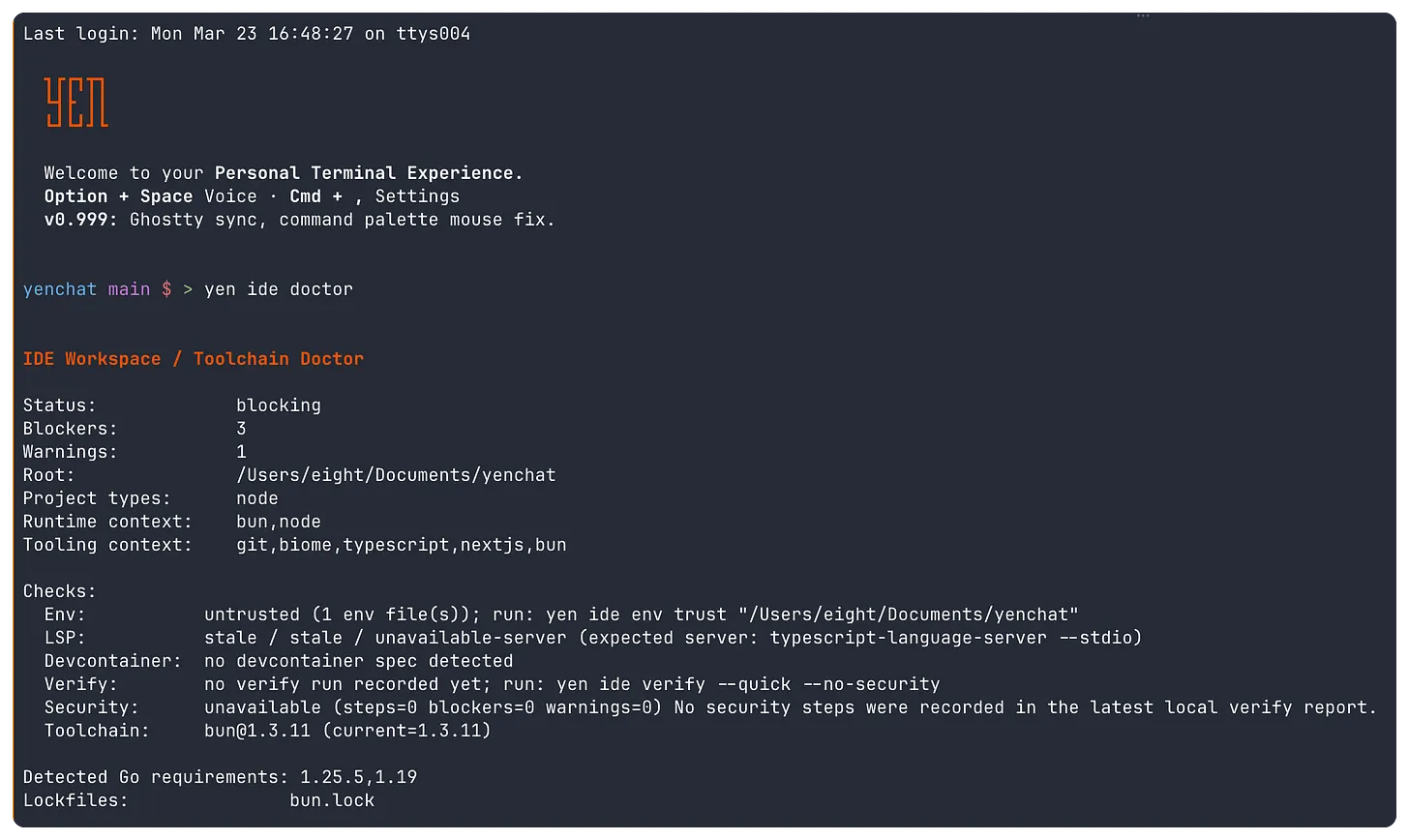
The first IDE post was about ambition. The second one was about cohesion. This one is about proof (or the burden of proof). Because if you can’t trust your Terminal and IDE to do what you want, then, what’s the point?

It has to work. Or it doesn’t.

You see, a Terminal-first IDE cannot stop at having a lot of commands, and it cannot stop at having those commands point at each other in mostly sensible ways. At some point the product has to answer the question that matters more than all of that: When it tells me something about my repo, should I believe it?

That is the standard that anyone should hold any Terminal to and it’s the standard that I hold to the work that I do for this tool and our growing community of users.

I do not want an IDE that performs confidence; I want one that can defend its claims. I want it to be explicit about what it knows, what it does not know, which local facts produced the answer, where the boundary of authority ends, and what has to stay a human judgment call.

If the terminal is going to remain the center of gravity, it needs to feel less like a loose toolkit and more like a system with a memory, a vocabulary, and a conscience.

That is what this phase of YEN has been about and what is necessary before I feel comfortable giving this project a real v1.000 stamp.


Readiness Has to Reuse the Evidence Model

The clearest example is yen ide merge-readiness.

Before a branch is ready, I usually already have the evidence somewhere. The repo has a working tree state.

yen ide doctor knows whether the workspace is healthy.

yen ide trust status knows whether the repo has been explicitly trusted.

yen ide verify status knows whether readiness and security gates have actually run.

Git knows how large the diff is and which files look risky. The local timeline already knows what the recent gates and review surfaces have done. Sometimes GitHub metadata is available too.

The problem was never missing evidence. The problem was fragmentation.

Once a repo gets large enough, the cost of answering a simple question like “is this safe to review?” is no longer the cost of one command. It is the cost of rebuilding the same mental model from half a dozen surfaces every single time. That is exactly the kind of work I think an IDE should eliminate.

What I did not want was the obvious fake solution.

I did not want a separate readiness database. I did not want a second approval workflow. I did not want a new trust vocabulary that would immediately start drifting from doctor, verify, review, and timeline. That is how tools become bureaucratic. They solve a visibility problem by creating a state problem.

So merge-readiness is not another authority surface. It is an aggregation surface over the evidence model that already exists.

It reads the current doctor state, trust summary, verify readiness and security snapshots, git diff heuristics, risky-file context, local gate and review history, and optional current-branch PR metadata when that exists. Then it gives me one recommendation: safe to review, safe to merge, or needs human check.

The label matters less than the defense behind it. If checks are missing, it says so. If security is blocked, it says so. If review state is still draft or changes-requested, it says so. If the repo has no baseline evidence at all, it does not pretend a green answer exists. It stays conservative and tells me exactly which facts are making it uncomfortable.

That is the point. I do not think users want a prettier green badge. I think they want a tool that can justify the badge.


The Cost Model Has to Stay Honest Too

Trust is not only about correctness. It is also about cost.

An IDE can have a convincing readiness story and still betray the user if every new layer quietly makes the terminal slower, heavier, and harder to reason about. I did not want to argue that the terminal can be the IDE while hand-waving away the performance bill.

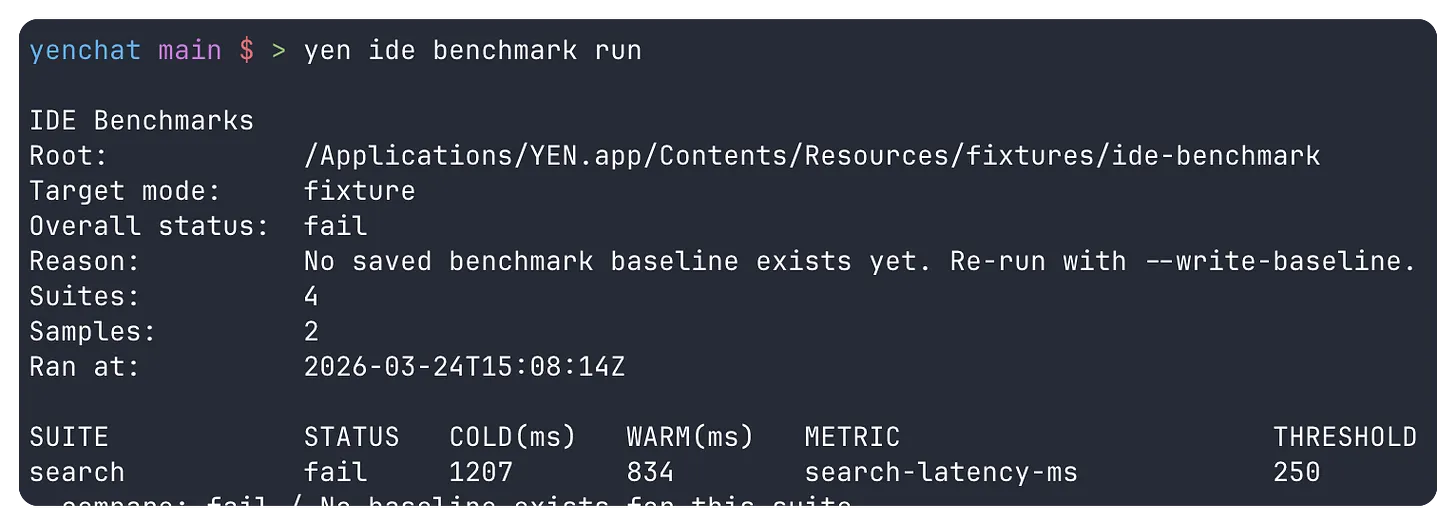
That is why I shipped yen ide benchmark status and yen ide benchmark run.

I wanted proof checked into the product instead of folklore. The benchmark harness runs deterministic suites for search latency, LSP startup latency, verify duration, and orchestration control-plane overhead. It records cold and warm timings, captures an environment stamp, writes a latest report, compares against a saved baseline, and fails closed when the proof is missing or when a regression is large enough that I should treat it as real.

That fail-closed behavior matters. I did not want a benchmark surface that always sounds informative but never has consequences. If YEN is going to claim trust, its performance evidence has to be usable as a gate, not just as dashboard decoration.

I also wanted the performance story to reuse the same discipline as the readiness story. So the benchmark harness does not invent a separate telemetry universe. Its suite latencies are mirrored into the same non-interference SLO ledger that already exists. Search, LSP startup, verify, and orchestration become explicit entries in one guardrail story instead of becoming a second performance control plane.

The fixtures matter just as much as the ledger. I did not want these numbers to depend on whichever repo happened to be under my cursor or whichever binaries happened to be installed that morning.

So the default path uses shipped fixtures under yen-cli/fixtures/ide-benchmark. Search and LSP run against a known TypeScript-shaped fixture. Verify runs against a deterministic local package-script fixture. Orchestration runs against mock adapters on a fixture-provided PATH. That gives me repeatable proof instead of a moving target.

The terminal-first bet gets stronger when the cost model is explicit. It gets weaker when the cost disappears into vibes.


A Semantic Target Has to Survive the Handoff

There is another way to lose trust that is easier to miss.

The product can have an honest evidence model and an honest cost model, and still feel unreliable if the moment I try to act on that evidence the target gets lost between surfaces. A diagnostic that cannot land in the right file is not much better than a guess. A review hunk that jumps to the wrong place erodes confidence far faster than a missing feature ever will.

That is why I shipped yen ide open, moved yen-yazi-edit onto the same launcher contract, and then pushed that same contract into the native macOS review surfaces.

The rule is simple: Every semantic target stays path:line[:col] all the way through.

Search results, diagnostics, verify output, PR review hunks, merge-conflict selections, and file-browser edit targets should not each invent their own editor-jump syntax. They should all reduce to one location contract, then let one planner decide how that target becomes a real editor launch.

That planner now resolves repo-relative paths, preserves quoted VISUAL and EDITOR argv, understands the editor-family goto matrix, and exposes an explicit dry-run plan so I can test the launch behavior before it surprises a user.

Code-family editors use --goto. Zed takes the direct target shape. Xcode goes through xed --line. Terminal editors keep their real line-aware capabilities where they exist. Plain editors fall back to opening the resolved file only, with the loss of line-awareness made explicit instead of being silently swallowed.

The important part is not the matrix. The important part is the failure behavior.

This handoff now fails closed when the target no longer exists. It fails closed when the launcher is unavailable. If nvr is configured but there is no running server, it falls back to nvim instead of pretending a dead attach command counts as parity. Yazi uses the same planner. And on macOS, the native PR review and merge-conflict workspaces now go through the bundled yen ide open bridge for recognized GUI editors instead of maintaining a second Swift-only launch matrix with its own drift risks.

The same rule now applies to live LSP mutation. yen ide lsp code-actions takes that same semantic target, forwards matching diagnostics context when the server can actually use it, previews every returned action, and only auto-applies when there is one pure workspace edit to defend.

If the server returns multiple edit choices, a command-only action, an edit-plus-command action, or a disabled action, YEN stays in preview mode and says why. That is less magical than a universal quick-fix button. It is also much easier to trust.

That sounds like glue code. I think it is part of the trust model.

The reason is simple: if the product tells me where to look, it has to prove it can actually take me there.


Debugging Has to Leave Evidence

A debugger is where integrated tools often fall back into folklore.

A failing test might know the file. A review surface might know the risky hunk. A diagnostic might know the exact line. But the moment I want to cross from evidence into execution, a lot of products suddenly expect me to carry all of that context by hand, rebuild a launch command from memory, and trust that whatever happened in the debugger can somehow be rediscovered later.

I did not want that split either.

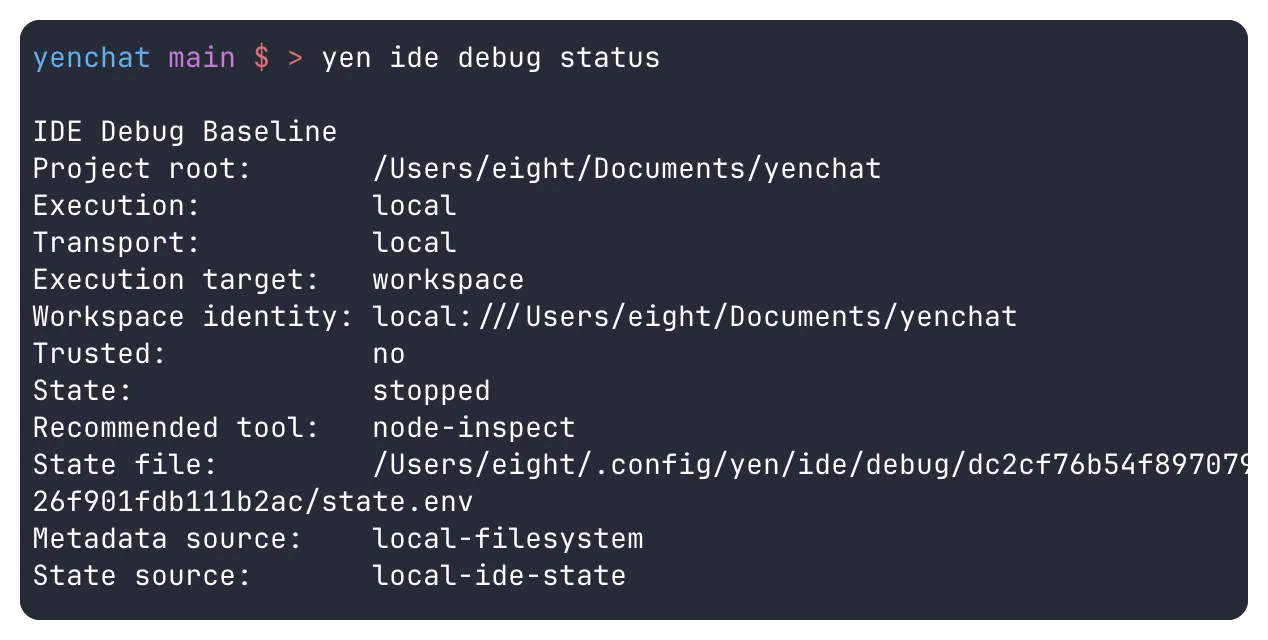
So the debugger work stayed on the same semantic target contract and the same trust model as everything else. yen ide debug status and yen ide debug start use the same path:line[:col] vocabulary as search, diagnostics, review, and handoff.

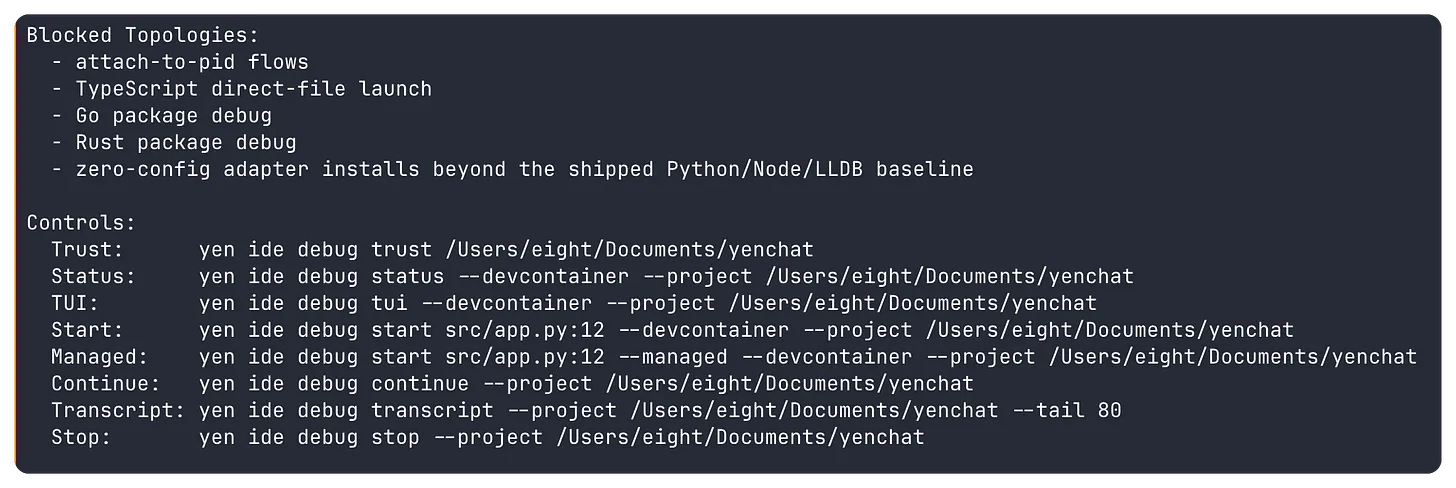
The shipped baseline is intentionally narrow: python-pdb, node-inspect, and lldb for the local, SSH-backed, and tracked-devcontainer cases I can actually defend. The product stays explicit about what is still blocked: attach-to-pid flows, TypeScript direct-file launch, package-debug flows, and any zero-config adapter install story beyond that shipped baseline.

The more important part is what happens after launch. Real debug runs now write summary, log, and transcript evidence into the same per-workspace state model. yen ide debug status can show me the last run. yen ide trust status can point back to the same artifacts. Timeline events carry the report paths forward. Managed local, SSH-backed, and tracked-devcontainer sessions all stay on that one surface. The debugger is not a private side quest anymore. It leaves a paper trail the rest of the IDE can reuse.

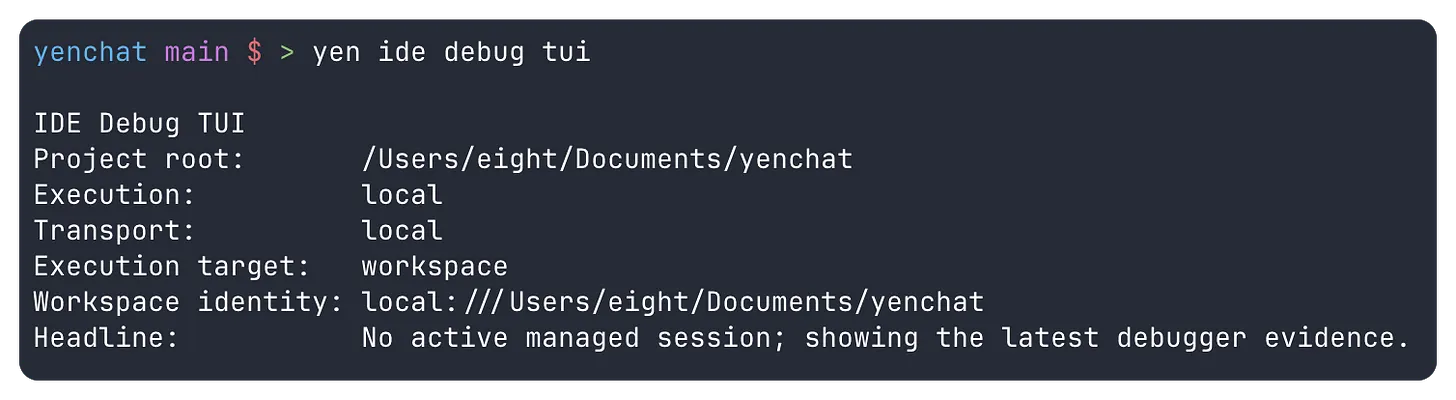
That is also why the visual layer came last. yen ide debug tui now renders the same managed-session state, source excerpt, breakpoints, watches, recent output, and transcript tail instead of inventing a second debugger UI with its own hidden state. When the file is local, the source panel is real. When the workspace is remote, the dashboard says so instead of pretending it can render code it does not actually have. The UI inherits the trust model instead of overriding it.

The same restraint now shows up in the macOS command palette. Empty-query quick IDE actions for Debug Status, Debug TUI, and Format / Lint / Fix Status are just thin launchers over the shipped CLI surfaces. They make the trustworthy path faster to reach without creating a parallel native-only debugger or quality model that would immediately start drifting from the terminal.

That makes the surrounding surfaces sharper too. yen ide test status, yen ide verify status, yen ide search, yen ide merge-readiness, yen ide pr-review, and local diagnostics only append a yen ide debug start ... handoff when the shipped debugger can genuinely launch that target. If it cannot, YEN stays quiet instead of pretending a button is better than an answer.

This is the same trust rule again: Do not promise execution where only suggestion exists. A terminal-first IDE should be willing to leave capability on the table if that is what it takes to keep the chain of evidence intact.


Remote Work Needs One Identity and One Vocabulary

Remote collaboration is where trust models usually split apart.

It is very easy to add SSH-backed behavior to a product by quietly inventing a second control plane. Local work starts using one vocabulary. Remote work starts using another. The same repo gets described differently depending on which side of the network boundary I am standing on. Status gets fuzzy. Trust becomes suggestive instead of explicit.

I did not want that.

So the remote work extended the existing yen ide surfaces instead of branching into a separate remote subsystem. yen ide detect accepts ssh://user@host/abs/path targets. So do yen ide doctor, yen ide trust status, and yen ide verify status.

The point is not that everything suddenly runs remotely. The point is that the same workspace identity now anchors both the local and SSH-backed view of the same repo.

That shared identity matters because it keeps the evidence story coherent. Remote detection reports where execution is actually happening. Trust and verify summaries key their local evidence against that shared workspace identity instead of pretending a remote repo is just another local path. Remote share state does the same thing. yen ide share host, share status, share revoke, share trust, and share untrust now speak the same target shape and the same identity model.

The lifecycle language got stricter too, because vague state is what makes remote tooling feel untrustworthy.

If the host is temporarily unreachable, a session should not suddenly look stale. Disconnected and stale do not mean the same thing. Disconnected means the runtime may still exist and the control plane has temporarily lost contact. Stale means the runtime is gone. YEN now preserves that distinction, keeps reconnect metadata explicit, and lets share status fall back to cached local metadata when the network is the only thing missing.

That is not a flourish. That is the difference between a system that tells the truth under stress and one that collapses into hand-waving the first time SSH gets weird.


Remote Execution Still Has to Admit Its Limits

The last piece of trust is restraint.

Once a remote identity model exists, it becomes very tempting to make every remote surface sound complete the moment SSH works once. That would have made for a cleaner demo. It also would have been dishonest.

So I kept the execution story explicit instead.

Remote workflow discovery is there, and so is real remote execution. yen ide workflow discover, list, show, and run all accept the same remote target shape now. Authored workflows and repo-native tasks can execute remotely over SSH on the same workspace identity, with trust, approval, reports, and timeline ownership staying local.

What is still blocked is the part I cannot defend quite yet: Remote --watch loops and any fake suggestion that the remote machine is under a richer control plane than it really is.

The same rule applies to devcontainers. yen ide devcontainer status, up, shell, and down now work for SSH-backed targets too, and the debugger can reuse that same tracked runtime through yen ide debug status --devcontainer and yen ide debug start --devcontainer when the separate devcontainer trust and health checks are satisfied. If the remote machine is missing the right CLI, the product says so.

If the tracked local state and the probed remote state disagree, the product says so. Labels like spec-drift, disconnected, and missing-remote-cli exist because a terminal-first IDE should not imply a healthy runtime it never actually verified.

That is the restraint I care about now. Ship the remote execution paths that are real. Keep trust and evidence local and explicit. Keep blocked features blocked until the control plane is strong enough that a nicer interface would not just be hiding drift.

This is the part of terminal-first IDE design I care about most now.

The product gets better when it becomes more articulate about boundaries, not less. It gets stronger when the same evidence model is reused in more places, when the same semantic target survives more handoffs, when the same workspace identity survives distance, and when the system is willing to say “I can inspect this, but I cannot honestly claim to control it yet.”

That is what earning trust looks like.

The thesis was that the terminal can be the IDE. The second post was about making that IDE hold together. This phase was about something stricter: Making it legible enough, measurable enough, and self-aware enough that I can trust it when the work gets real. That’s always been the standard.

And now it’s the standard for YEN moving forward. As it should be.

More work to come.

— 8

Your Terminal Feels More Like Your World

Background images are here and that's it, that's the announce.

Hey folks!

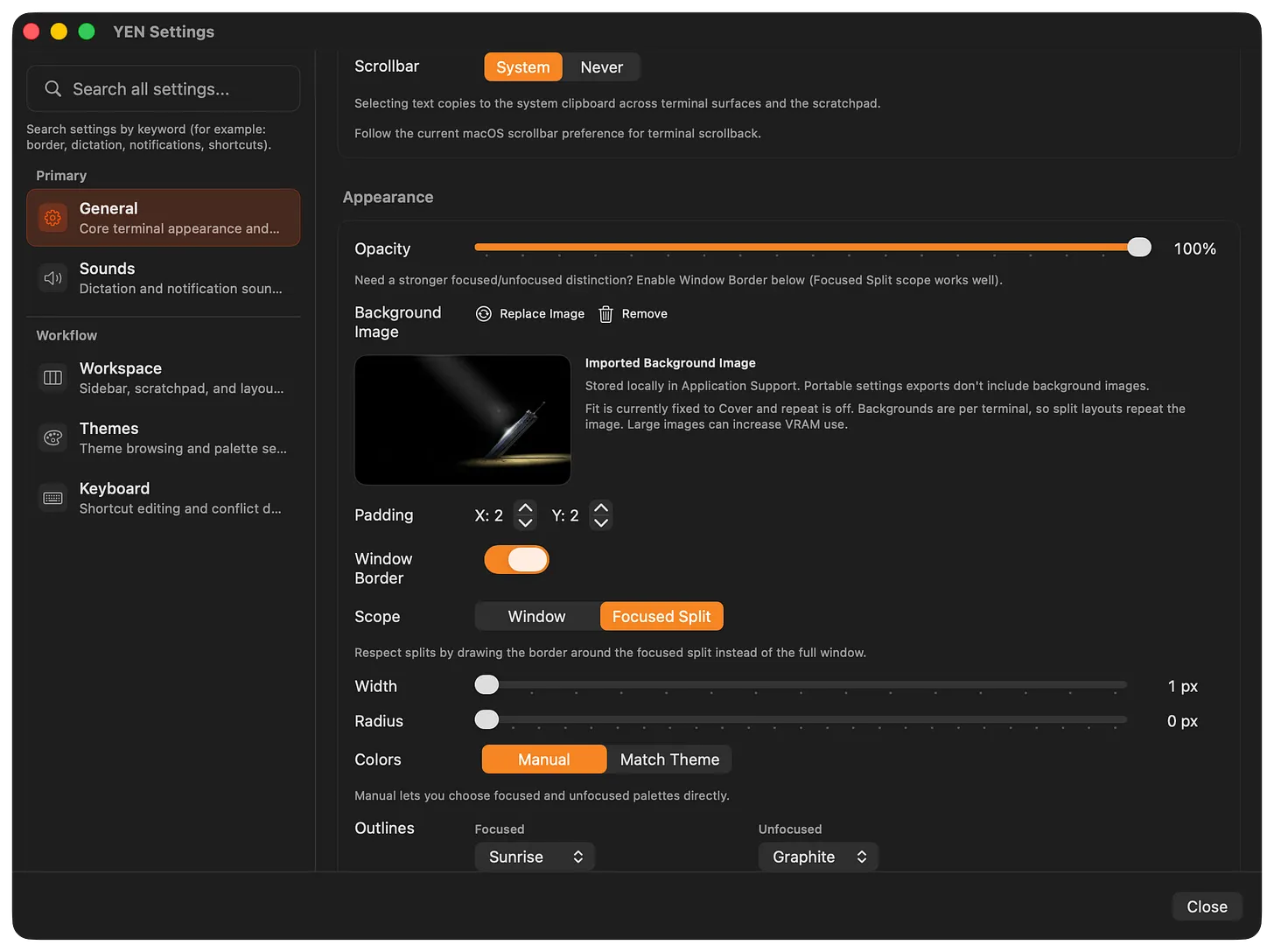
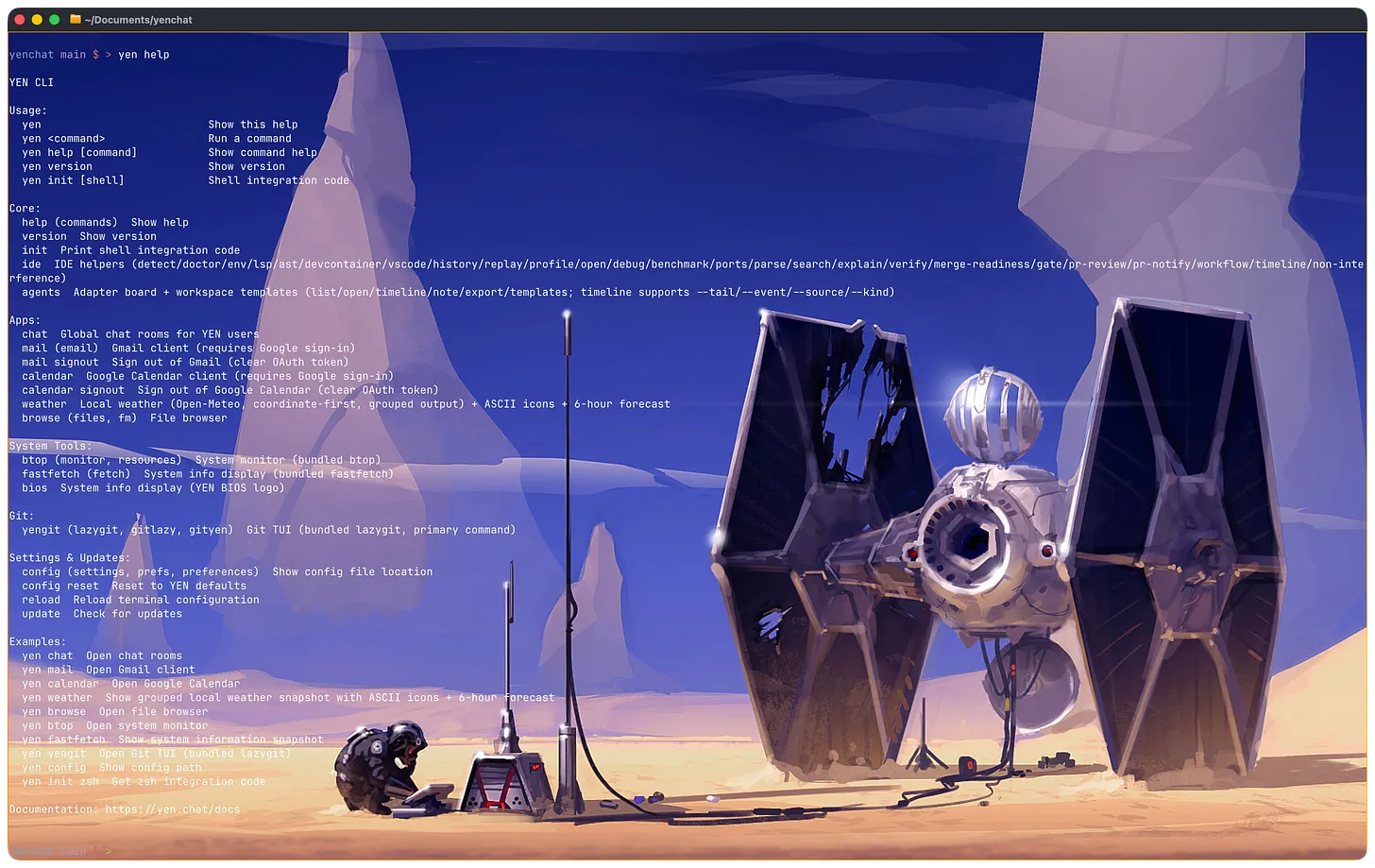
I built a background image upload that just makes it feel more like your own personal space. It’s available directly via the Settings Panel and there you go, magic.

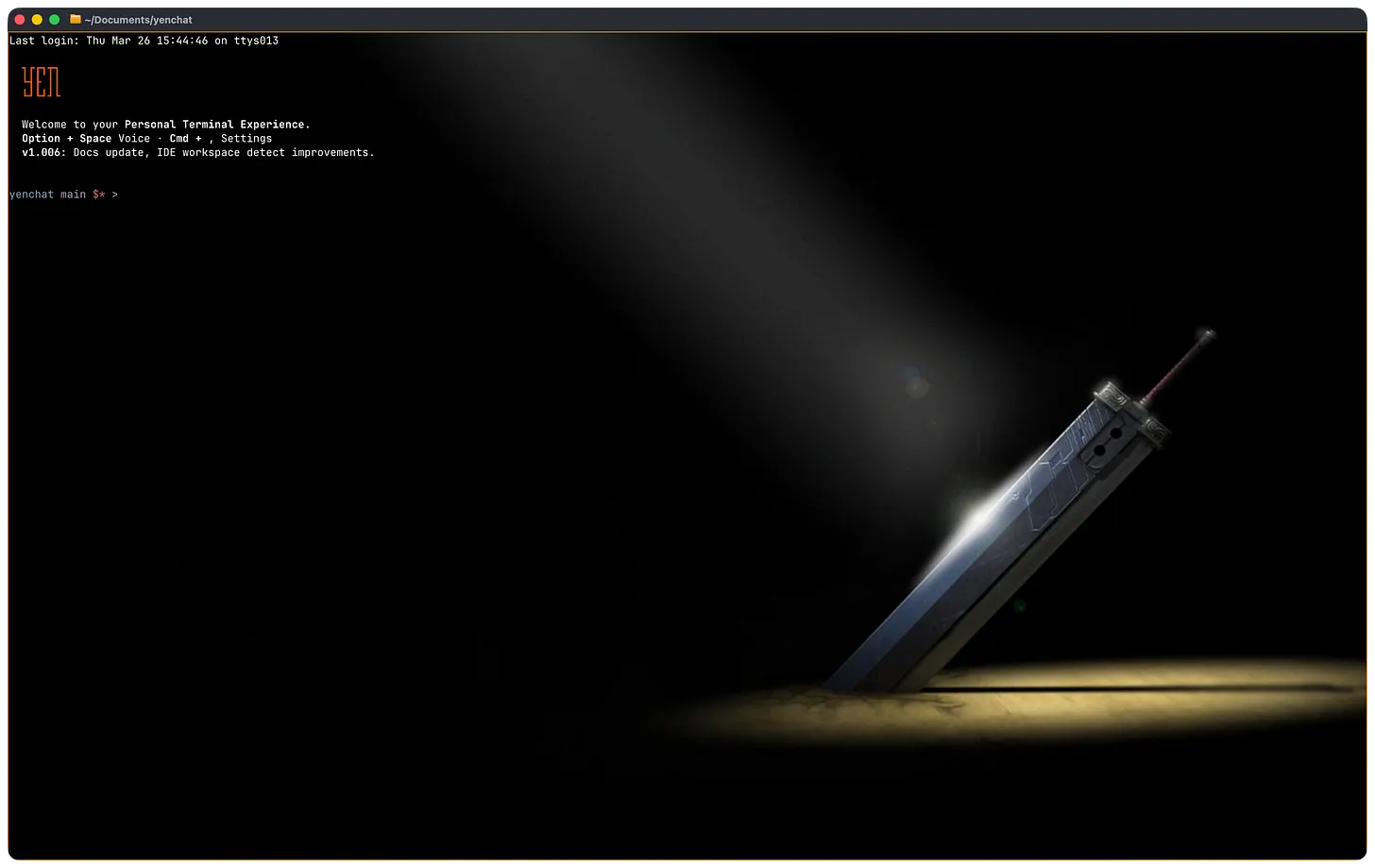
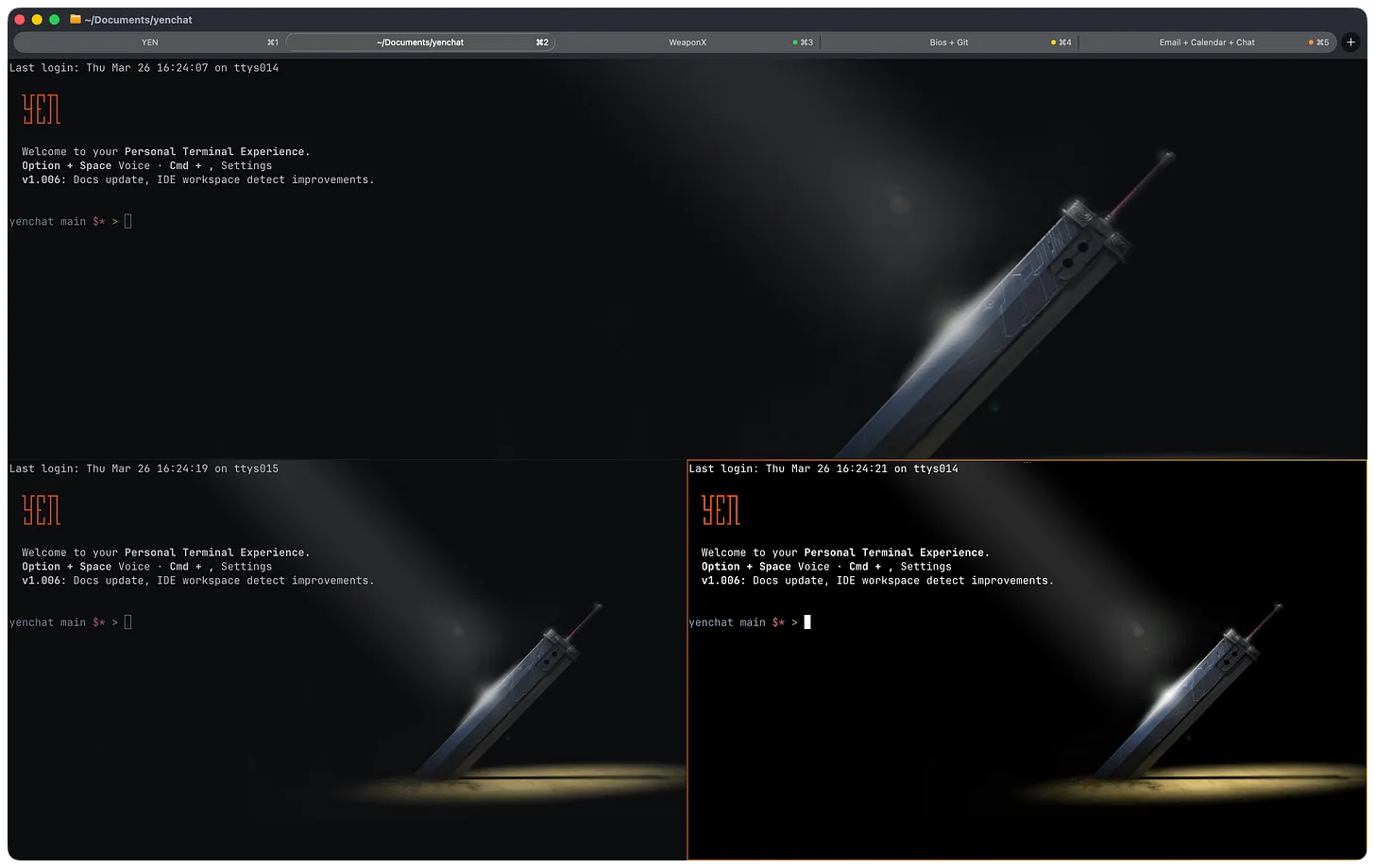
It’s stored locally in Application Support and is repeated through splits:

The Buster Sword is the GOAT:

Have fun with it! There’s also a setting I’m building which will make it either work in each and every splits — repeating, of course — or to just be a single background across all splits. I’ll have that posted in the next release soon.

— 8

Better Terminal Image Background Placements

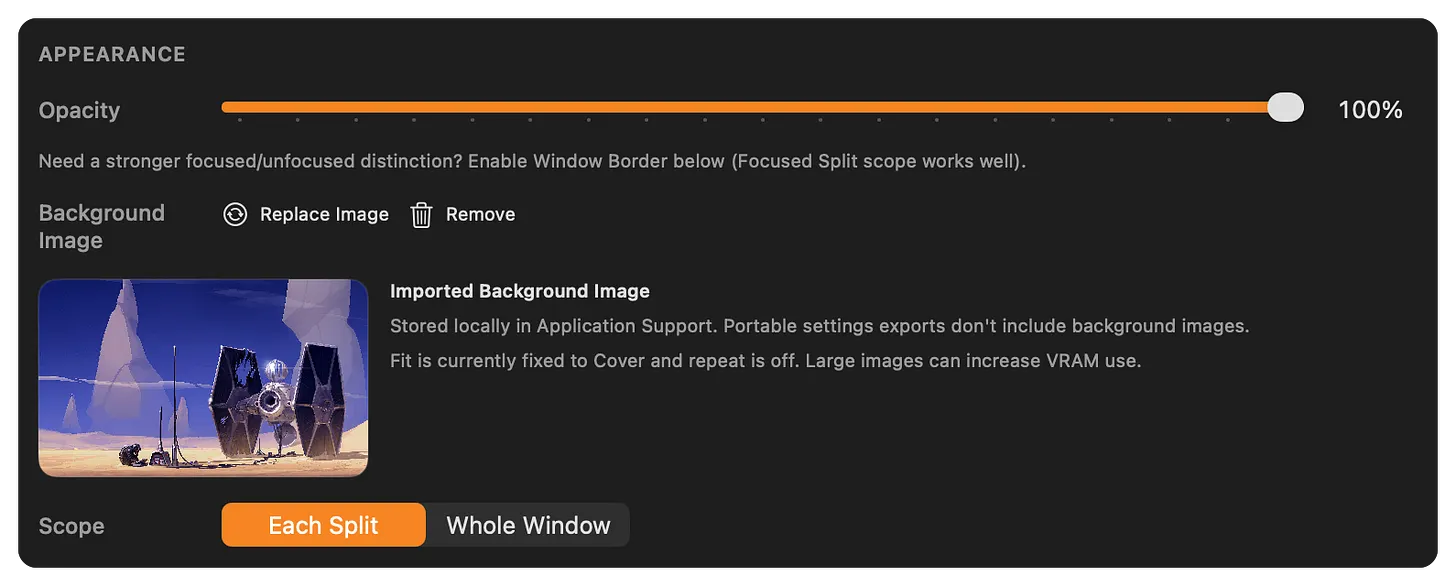
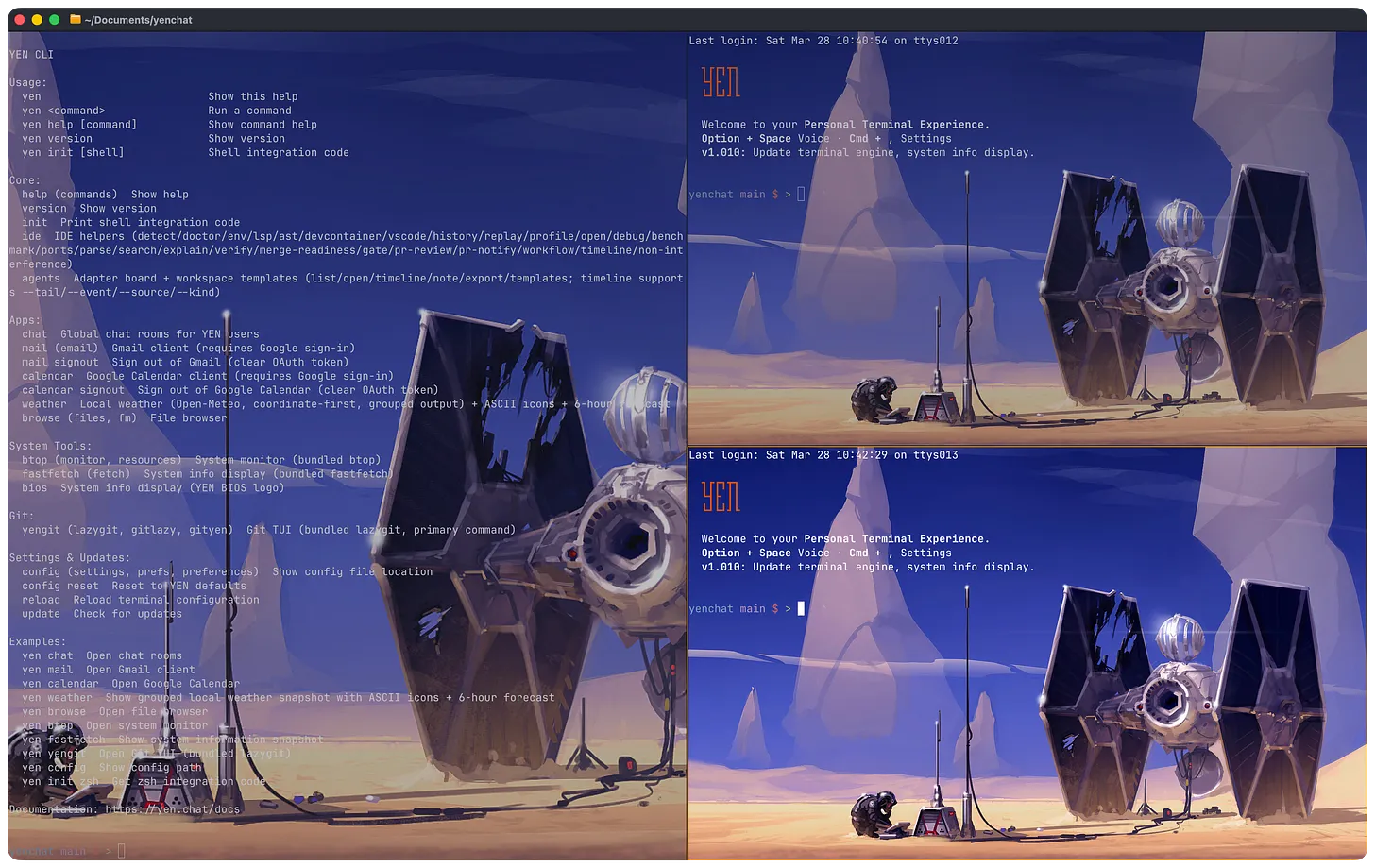
Now you can chose between the entire Window or Splits.

Hey folks!

There’s a small feature in the latest YEN release that I’m weirdly proud of, and it took me longer to design than to build: The background image and wallpaper scope toggle.

This is the second part of the, well, first part about wallpapers.

Your Terminal Feels More Like Your World

Hey folks!

The Question Nobody Asks but Everyone Has

When you set a background image in YEN, what does “background” mean?

If you have three splits open — one running tests, one tailing logs, one with your editor — does the image live behind all of them? Just the focused split? The whole window? If you open a new tab, does that tab get the image too?

This is one of those settings that feels obvious until you try to define it.

I went through a few different mental models before landing on the one we ship:

  1. Global (all windows) — The image is a wallpaper. It’s yours, not the terminal’s. Wherever YEN renders, the image is there. Good for people who set one image and forget it.

  2. Per-tab — The image belongs to the current tab’s context. Switch tabs, different look. Split panes within a tab share the same image. This is the default because it maps cleanly to how most people think about “what I’m working on right now.”

  3. Per-split — Maximum granularity. Each pane is its own visual context. You can have a dark ocean render behind your SSH session and a warm linen texture behind your local dev split. This is for people who want their terminal to reflect what each pane is doing.

But, ultimately I wanted to keep it simple. Here’s the experience:

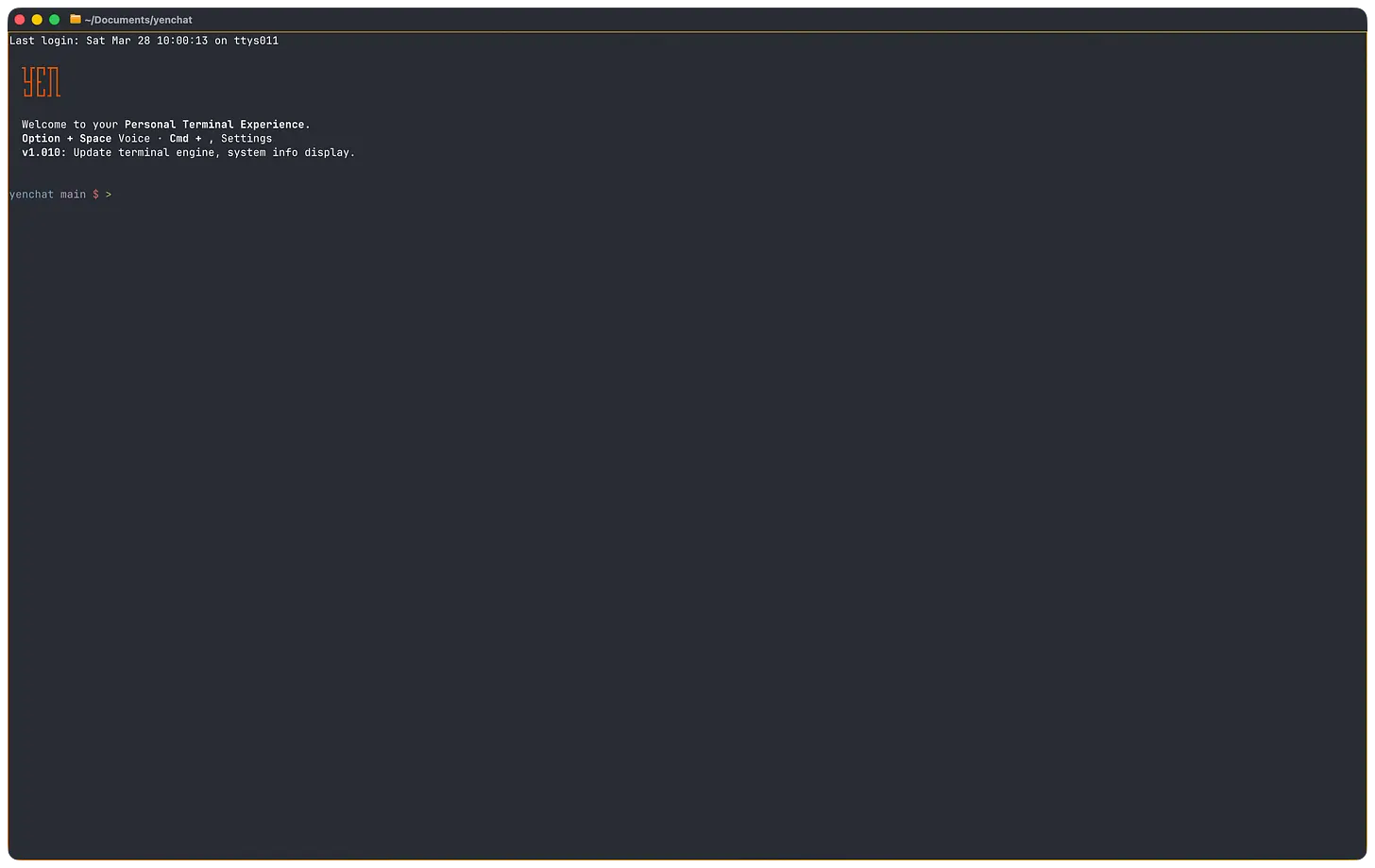
Start with a blank canvas, your Terminal. And then you can add an image:

Or you can make the images per split:

Pretty neat and as I’ve said before, it makes it feel so much more personal. And that’s the update folks. Enjoy.

— 8

More issues

Newer · A Faster Prompt ↗Older · The Terminal IS the IDE Now ↗All release notes ↗All issues ↗