← Digital Onigiri

From the creator · Week of Mar 9–15, 2026

Hardening Speech-to-Text in Your Terminal

Obsessing over UX and how Option + Space should feel really, really boring.

Technical updates

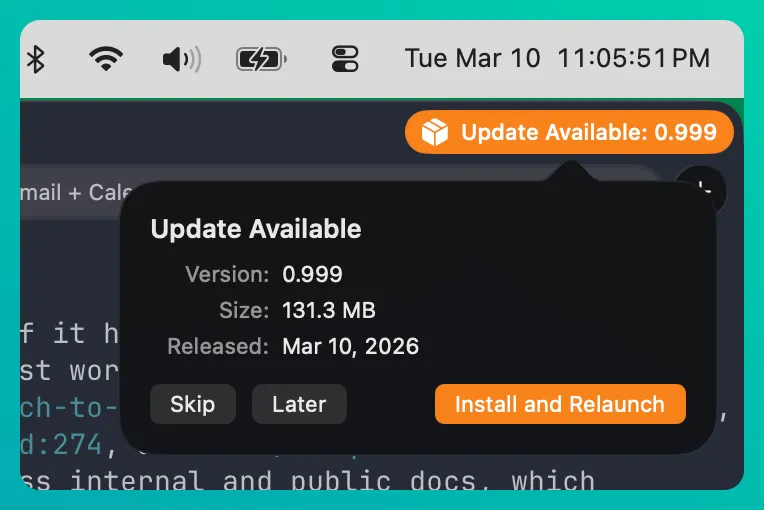
5 builds through v0.999

The final approach to 1.0 read like a checklist of power-user respect. Keybind conflict detection became layout-aware, so it catches the collisions your physical keyboard would actually produce rather than theoretical ones. Split panes gained labels that keep complex arrangements readable at a glance, and notifications learned to coalesce instead of stacking.

Fullscreen behavior and notch handling were fixed, IDE detection hardened, sharing improved, and Settings took another polish pass — the elaborate setups YEN now supports became easier to operate with confidence. Everything about the week said the same thing: the milestone was close, and it would be earned rather than declared.

Every build that week, v0.995 to v0.999 ↗

Written by hand

Notes from the creator

Hardening Speech-to-Text in Your Terminal

Obsessing over UX and how Option + Space should feel really, really boring.

Hey folks!

There is a version of speech-to-text that looks great in a demo and still feels wrong in daily use. You hold Option + Space. You speak. You release.

Wow. So much wow.

And it worked. YEN has had a strong speech-to-text foundation for a while now. It is on-device. It is native. It works across macOS apps. On macOS 26 and newer it uses Apple’s modern speech stack with unlimited sessions.

That part was never the problem.

Talk To Your Terminal without AI

Hey folks!

The problem was simpler and more important. The workflow itself needed to be tightened. So, that’s what I’ve been working on since we’re coming up on our official v1.000 release — everything needs to be perfect.

We're almost there.

— YEN (@yenFTW) March 12, 2026
But, there were some over-complications that I’ve wanted to fix and those fixes should be in as the right version of speech-to-text in a terminal-first IDE should not feel clever. It should feel dependable.

It should feel boring in the best possible way.

And, the rest of this post may be boring for most (a bit engineering and tech-heavy, so forgive me) but at the very least it showcases how much I care about this feature that’s a model for what and how I think about a Terminal-first IDE (platform).

If you want to geek out, continue on fellow nerd.


Hotkeys and Session Contracts

The first part of this hardening was the hotkey session contract.

The old problem space here was subtle. Global hotkeys on macOS are not just about catching one keyDown and one keyUp. You have to care about modifier-release ordering, event-tap rebuilds, trust loss, key repeat noise, and stop or restart churn when the user presses again quickly.

That means a sloppy implementation can accidentally treat keyboard-state drift as a real release. It can stop capture because polling noticed a mismatch instead of because the user actually let go. That is exactly the kind of thing that makes a feature feel haunted.

I tightened that.

Hotkey-up synthesis is now restricted to explicit recovery paths instead of loose session-state drift. The exact hold contract is deterministic whether Option or Space releases first. Event-tap rebuilds while the keys are still physically down no longer get to silently terminate a valid capture. Re-press during stop is treated as a queued restart instead of an invitation for stale state to bleed across sessions.

That sounds like implementation trivia until you use the feature all day.

Then it becomes the whole feature.


Finalization Contract for Acceptable Input

The second part was the finalization contract.

Speech-to-text gets weird when people talk about “the transcript” as if there is always only one obvious version of it. In reality there are partials, finalized segments, stop callbacks, error paths, watchdogs, and all the little ways asynchronous systems try to complete more than once or complete in the wrong order.

That is not acceptable for input.

YEN now treats stop completion as a proper per-session contract with one, single authoritative result. There is an explicit stop token. Completion is exactly once across normal release, recognizer error, results-stream failure, watchdog fallback, and forced reset paths. I also added more explicit stop telemetry so transcript loss can be diagnosed from logs instead of guessed from UI behavior.

Just as importantly, I removed “experimental” work from the default release-to-paste critical path. That part needed to happen.

If the user’s baseline expectation is “hold Option + Space, speak, release, paste,” then the core path cannot be hostage to optional experiments.

At that stage, Live Transcript Preview and Translate-on-Dictate were clearly labeled EXPERIMENTAL in Settings, and the default stop path was no longer forced to wait behind translation behavior when translation was off.

That product boundary was the right intermediate step: stabilize the core workflow first, then graduate optional surfaces only after the contract is clear.

Oh, fun.


The Contract for The Clipboard

The third part was the clipboard and paste contract. This was the most important user-facing fix.

The easy version of cross-app dictation is: Put text on the clipboard, fire Cmd + V, restore the old clipboard on a timer, hope for the best.

That is not a serious delivery contract.

If the paste target changes, if the synthetic paste does nothing, if the target app is slow, or if delivery simply cannot be proven, a timer-based clipboard restore turns into a data-loss risk. You get the worst combination: No inserted text and no recoverable text. No bueno, so, I tightened that too.

YEN now captures the insertion target at stop time and treats three cases separately: direct terminal-surface paste inside YEN, same-app responder-chain paste, and cross-app synthetic Cmd + V. Those are not the same operation and they should not pretend to be.

Inside YEN, the old clipboard can be restored after paste with a guarded delay. Same-app responder behavior stays explicit. Cross-app synthetic paste is treated more conservatively because delivery cannot actually be proven by the sender.

That means when YEN pastes into another app through synthetic Cmd + V, the dictated text now stays recoverable on the clipboard until the user replaces it.

That is a much better failure mode.

The goal is not to hide every edge case. The goal is to make the safe path the default path and the recovery path obvious when automation cannot honestly guarantee delivery.

I also tightened stale-target handling so the transcript is bound to the app or split that was focused when you released the hotkey. If that target changes or becomes invalid before insertion, YEN fails closed into manual recovery instead of pasting into the wrong place.

That is another example of the kind of boring behavior I want.

Wrong-field paste is worse than no paste.

Naturally.


Truth-Seeking in Great, Simple Product

The fourth part of this pass was simply telling the truth in the product and docs.

There was some confusion around Apple’s newer speech APIs, so I rechecked the recognizer shape carefully against Apple’s own documentation. Apparently, on macOS 26+, YEN still used SpeechAnalyzer with DictationTranscriber for the main dictation path.

That is the right pairing for what YEN is doing.

Apple also exposes SpeechTranscriber as part of the broader Speech framework stack, and it is useful, but it is not some magic replacement for session-logic bugs. SpeechAnalyzer is the container.

The real question is which speech module belongs in the workflow you are building. For YEN’s hold-to-talk dictation flow, DictationTranscriber remains the correct transcription surface.

That distinction matters because it keeps the engineering work honest.

If the problem is race conditions, stop semantics, target routing, and clipboard durability, the answer is not to wave at a nearby API name and hope the complexity disappears. The answer is to harden the workflow contract itself, so, that’s what the latest release has done.

And that ties directly back to YEN’s larger mission.


I keep saying YEN is a Terminal-first IDE, and I mean it in a very literal way.

The terminal should not just be fast. It should be trustworthy.

If a feature belongs in the terminal workflow, it has to clear a higher bar than novelty. It has to feel like something you can build real muscle memory around. It has to be explicit about what is experimental, explicit about what is guaranteed, and conservative when the system cannot actually prove success.

That is especially true for speech-to-text. Speech-to-text inside a terminal is easy to market as a fun trick. But in practice it is an input primitive.

It becomes part of how you move through the machine. Part of how you write. Part of how you reply in chat, search, command, annotate, and capture thoughts without breaking flow.

When something occupies that layer, reliability is the feature and everything else is secondary. So, this hardening pass did not add a dramatic launch trailer bullet point.

It did something better: It made the core path legible.

Hold Option + Space. Speak. Release. Done.

YEN should either paste the right final text into the right place exactly once, or leave that text recoverable so nothing is lost.

That is the bar. That is the contract.

And that is the kind of boring I want more of in software. Boring software is great software because it does precisely what I, and the community, want.

Who would have thought.

— 8
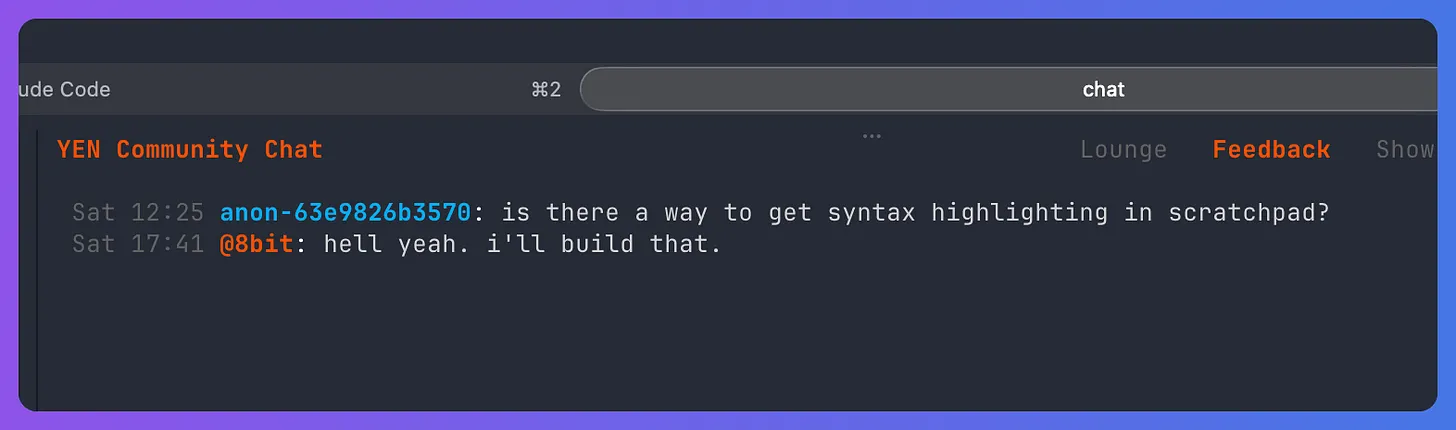
Safety, Privacy, and Security in Terminal Chat

And thoughts on running the first-ever community inside a Terminal.

Hey folks!

A lot of people still do not realize this exists in YEN at all.

YEN has a built-in community chat system inside the terminal itself. That was already a strange and important line to cross when we first shipped it. We were not adding a side panel to a browser app. We were building what we believe was the first terminal with chat and community built into the product.

That is worth reminding people about, because once chat lives inside a terminal, the bar changes. The terminal is not a casual surface. It is where people debug production issues, inspect logs, move around sensitive files, and work inside a higher-trust environment than most ordinary consumer apps.

So when you say “chat inside a terminal,” the obvious reaction from serious users is not just curiosity. It is caution.

That is a fair reaction.

If chat inside a terminal is sloppy, it is scary. If file attachments inside terminal chat are sloppy, it gets worse fast. So this post is partly about broader file support, but more importantly it is about the security and privacy posture behind it.


First, The Feature Itself

The reason I spent the time building this seem obvious when you first encounter it:

  1. It gives me immediate and direct feedback from the community about what they want and features they need. Total win.

  2. It inspires me and keeps me motivated. And I can get lonely too.

So, it was built and it’s really, really cool.

And now, I’ve expanded attachment support in YEN Chat beyond the original image and document flow, including CSV, JSON, ICS, EML on top of existingsupport for images and common document formats.

That means people can share a quick export, an API payload sample, a calendar invite, a message thread, a markdown note, or a plain text artifact without leaving the terminal workflow.

That sounds like a convenience feature, but it only works if the delivery path is hardened enough to deserve the trust people place in a terminal. And it is.

I didn’t treat this as “add a few MIME types and move on.” I treated it as a trust-boundary change. That means the file expansion shipped together with private storage, proxy-only delivery, stricter response headers, mediated access paths, and tighter defaults for how different attachment types open.

These are things the user will never see. But, I know they’re air-tight and risk-free. I mean, you shouldn’t share your private keys in chat, but, you can share anything else within reason.

You see? Never share sensitive data! And we’re good. A few things I worked on:

  1. Private storage and made files.yen.chat a tightly-controlled delivery path.

  2. Direct anonymous storage upload, list, and read paths are denied.

  3. Attachment fetches go through the proxy path instead of straight to storage.

  4. Upstream fetches use service-role credentials on the server side only.

  5. Proxy host and path are tightly bounded.

  6. Upstream redirects are rejected.

  7. Attachment responses get X-Content-Type-Options: nosniff.

  8. Non-image attachments are forced to download with Content-Disposition: attachment and X-Download-Options: noopen instead of rendering inline in the browser.

And, of course, privacy reigns as a surpreme import — I am a cypherpunk, after all. Privacy matters more to me than most people could really understand. So, I extend that to everything that I try to do, especially for folks who count on using this wonderful, beautiful thing that is a Terminal.

You see, security is not only about preventing code execution or bypassing headers. It is also about how much data the system keeps, where identity is bound, and what is exposed by default. YEN Chat is built around mediated access, not direct client trust.

Sender identity is session-bound on the server side and the client uses a local device ID to request a short-lived chat session, and that device ID is treated as a private credential on disk with tightened permissions, including private directory and file modes for its local storage.

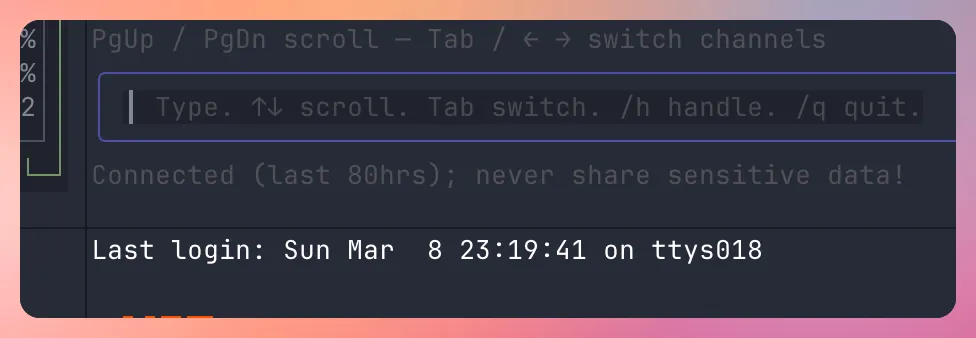
Messages and attachments are not meant to live forever. Chat messages age out after 80 hours, and attachments follow the same 80-hour cleanup window. Nothing is kept beyond ~3 days. It’s hard delete only. Let’s go.

So, on the surface it’s a simple “chat” but underneath it’s everything that I’ve learned over 20 years of writing enterprise-grade software, inside a simple frame that can be another place to drop emojis.

Go figure.

— 8

Terminal Tabs Have Names. Splits Should Too.

Split Labels give each pane its own identity without turning the Terminal into UI soup.

Hey folks!

There is a particular kind of terminal chaos that shows up the moment you stop demoing and start actually working.

One pane and/or tab runs the dev server. Another one runs tests. And of course you’ve got one that tails logs. One is a scratch shell you swear is temporary. They all live in the same repo. They all look almost identical. And after a while, your brain is doing bookkeeping the computer should have handled for you.

Mental. Burn. Out.

The tabs help, of course, but tabs are too coarse for this problem and there’s definitely better UX available, right? If your real workflow lives inside a split layout, the unit that needs identity is the pane.

That is why YEN now has Split Labels.

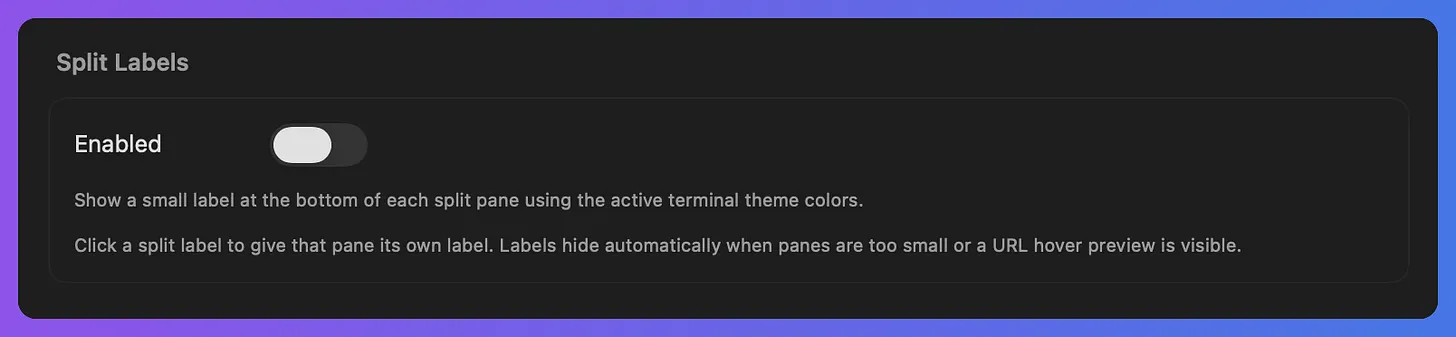
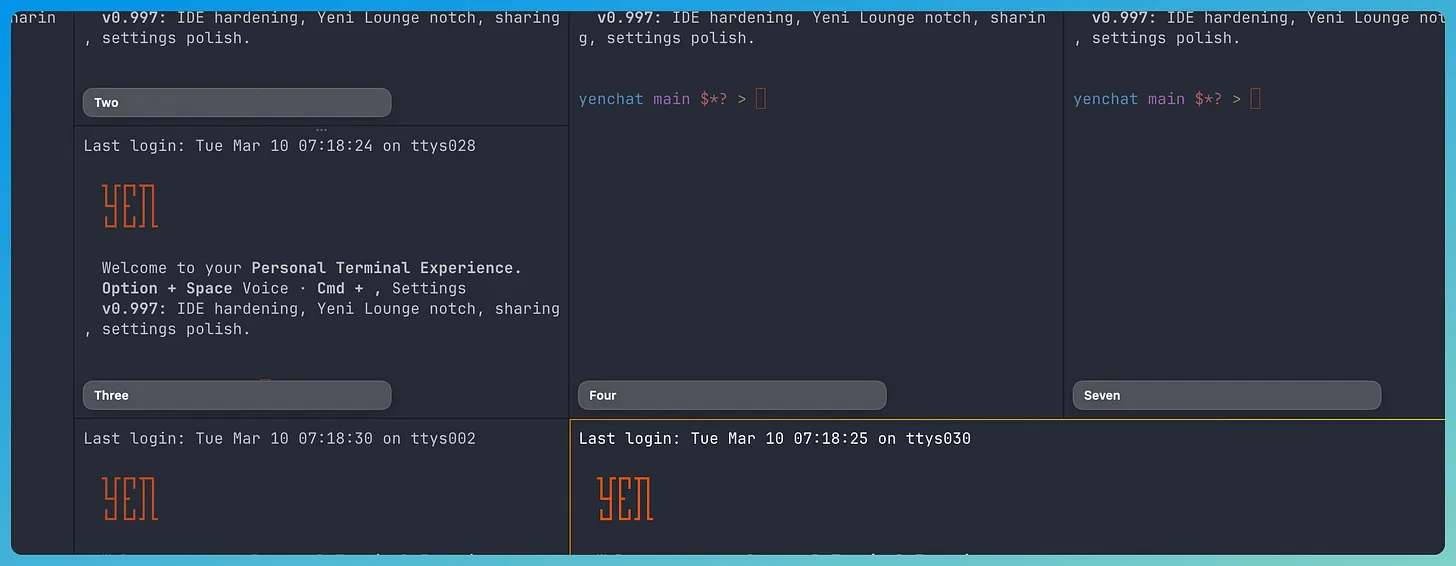
Turn them on in Settings » Workspace » Split Labels. Once enabled, each split gets a small pill at the bottom-left corner using the active terminal theme colors.

Click it directly or open Cmd + Shift + P and run Rename Split Label, and that pane can become anything you want it to be: Server, tests, queue worker, staging ssh, or whatever your future self will thank you for.

Most terminals let you rename tabs. That is useful, but it is not the same thing.

If you work in a three-column layout for client, API, and tests, a tab title does not solve the real problem. The panes are still where the context lives. Split Labels are independent from window titles and tab titles, because pretending those are the same thing just moves the confusion around.

It’s a simple concept:

And the fallback behavior is intentionally boring.

Leave the field blank and YEN goes back to an automatic pane label. That path uses the pane title when it is meaningful, otherwise the working-directory leaf, otherwise Terminal. No weird placeholder nonsense. No permanent rename required just because you wanted a quick label for one session.

But, if you want, it’ll persist.

A lot of terminal UI tricks feel nice right up until you close the app and discover they were only decorative. In YEN, Split Labels are stored with restore state per pane, so they survive tab switches, window restoration, and full session restarts.

If you named the left pane api and the right pane web, YEN should remember that instead of making you rebuild your mental map every morning.

There is also some deliberate restraint here.

The label does not force itself onscreen in every situation. If a pane is too small, if a URL hover preview is visible, or if you are dragging panes around, the label hides. That is not the feature failing. That is the feature refusing to become clutter at exactly the moment the space is tight or the interaction is doing something more important.

No split, no label. Also intentional. UX is how you win minimizing the cognitive load for the user and making the quality of life better. Take a look:

This is one of those details that sounds small until you use it for a week and then wonder why terminals ever stopped at tab titles.

A terminal-first IDE lives or dies on whether it respects working memory. Engineers already keep too much state in their heads. Which pane is production logs. Which one is the migration. Which one is safe to kill. Which one has the REPL with the weird local setup. The terminal should carry more of that load.

That is the philosophy behind Split Labels. Not bigger chrome. Not decoration. Just a small, local-first piece of interface that makes multi-pane work easier to read.

Apparently I needed to build pane name tags because my own split layouts had reached the “which one of you is the test runner again” stage of evolution. Ask me how many times I clicked the wrong pane before admitting tabs were not enough.

If you live in split-heavy terminal layouts, this one should just work.

— 8

Dictate in One Language, Paste in Another

Translate-on-Dictate is now an experimental opt-in path with strict fallback safety.

Hey folks!

We shipped a focused addition to speech-to-text in YEN: Translate-on-Dictate.

The behavior is simple:

  1. Hold Option + Space and dictate normally.

  2. Release to finalize transcription.

  3. If translation is enabled and the selected language pair is ready, YEN pastes translated text.

  4. If not, YEN pastes the original transcript.

No extra prompt flow. No cloud dependency requirement from us.


Why This Is Experimental

Translation is now explicitly positioned as experimental and off by default.

That keeps the default dictation path stable while we gather real usage and edge-case feedback from opt-in users.

Core speech-to-text behavior stays unchanged when translation is disabled. I’d love feedback on this since I need more folks to try it and see if it works as well as I hope it can! Post your feedback in “chat” off your shell.


What We Hardened

Translate-on-Dictate only runs as a post-processing step on the final transcript:

  • Live overlay text remains source-language during capture

  • Source language follows recognizer locale

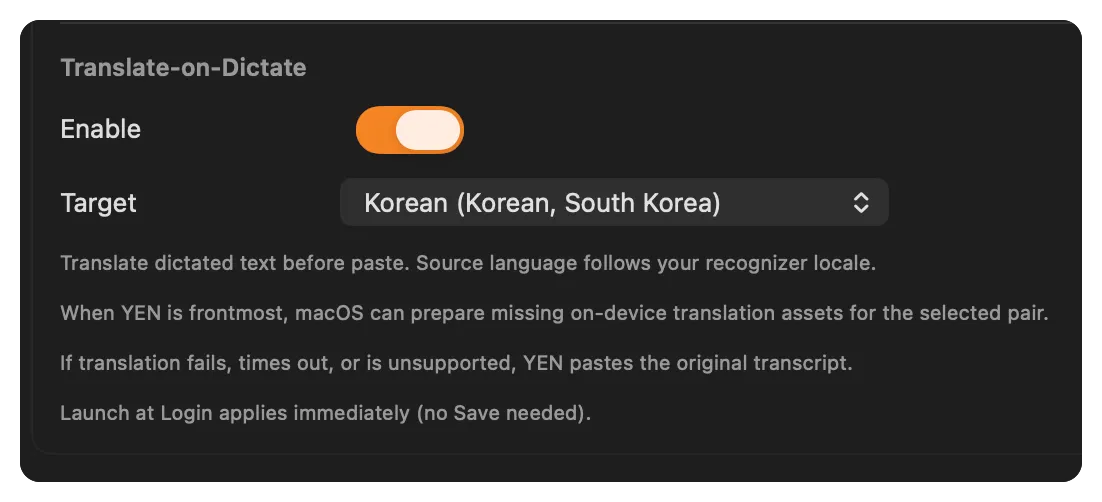
  • Target language is explicitly selected in Settings

  • Settings now filters the target list to language pairs that are actually compatible with the current recognizer locale

  • When a supported pair is missing assets, YEN can ask macOS to prepare them while YEN is frontmost in Settings

Failure behavior is deterministic:

  • Translation failed -> paste original transcript

  • Translation timed out, or the translation availability check stalled -> paste original transcript

  • Language pair unsupported, still preparing, or model unavailable -> paste original transcript

  • )lder macOS (no Translation framework runtime) -> paste original transcript

We do not block paste on translation success.

We also now cover both the availability lookup and the translation session with the timeout guard, and we cancel translation sessions on timeout or cancellation to avoid overlap under rapid dictate cycles.


Where To Enable It

Open Cmd + , »»» Sounds »»» Speech Setup »»» Translate-on-Dictate.

Choose your target language, then test in any app where YEN dictation already works.

If macOS still needs translation assets for the selected pair, keep YEN frontmost in Settings for the preparation step. Once the pair is ready, dictation uses it. If it is not ready yet, paste still falls back to the original transcript.

Have fun with it!

— 8

Accessibility and Onboarding for Speech-to-Text in Your Terminal

How YEN’s new onboarding makes dictation easier to set up, easier to understand, and more accessible from the start.

Hey folks!

Quick story. I set up a brand new M4 Mac last week as a fresh-start check for YEN. Fresh macOS install, nothing carried over. Downloaded YEN, launched it, pressed Option + Space to dictate something.

Nothing happened. Damn.

No error. No popup. No indication of what to do next.

That moment was a good reminder that onboarding is part of the feature. If speech-to-text is going to be something people rely on, setup has to be clear, guided, and accessible.

The dictation feature itself was not broken. What YEN needed was a better way to walk people through the permissions required to register the hotkey and capture audio. On an earlier build, that could leave Option + Space looking dead until someone manually dug through System Settings.

But, you know, onboarding matters. We all know it does.

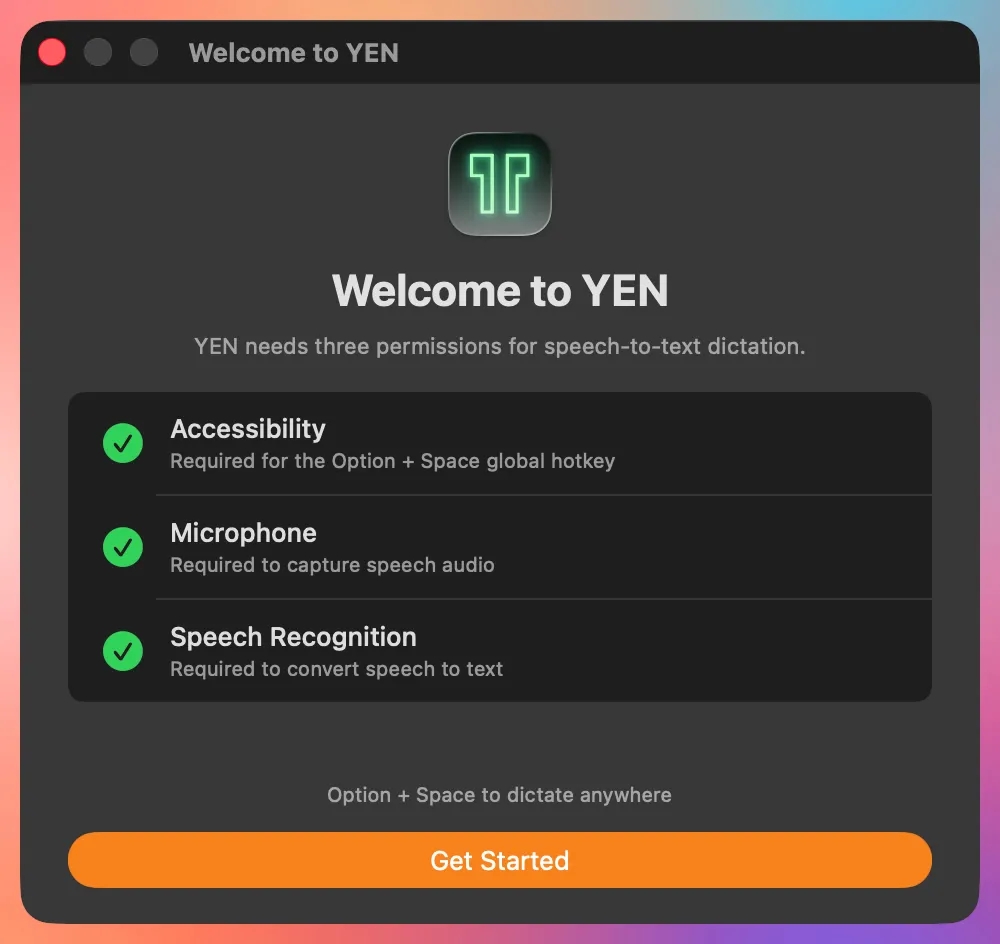
YEN’s speech-to-text needs three macOS permissions to function:

  1. Accessibility — The Option + Space global hotkey

  2. Microphone — Audio capture for speech recognition

  3. Speech Recognition — Apple’s on-device transcription engine

When any one of these is missing, speech-to-text can feel unavailable even when the fix is straightforward. That is exactly the kind of first-run experience we want to avoid.

macOS handles these permissions differently, especially Accessibility, so the app cannot assume the system will teach the user what to do. YEN now takes that responsibility more directly: show what is needed, explain why it matters, and make the recovery path obvious.

For a feature like speech-to-text, the onboarding experience is not separate from the feature. It is the feature. Naturally.

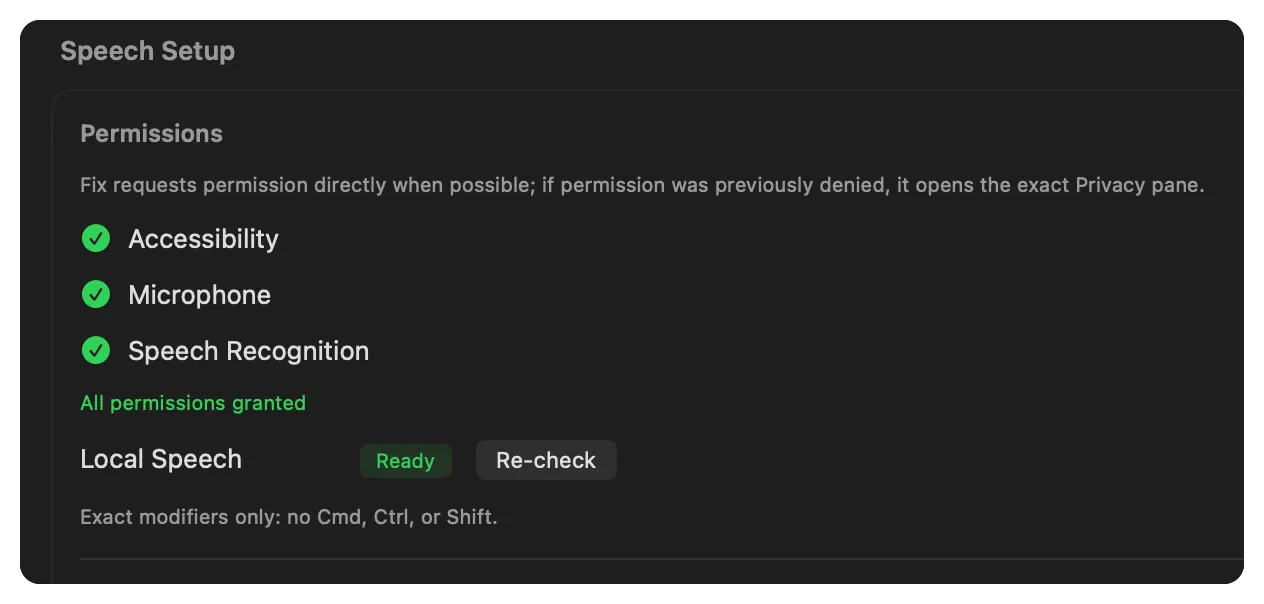
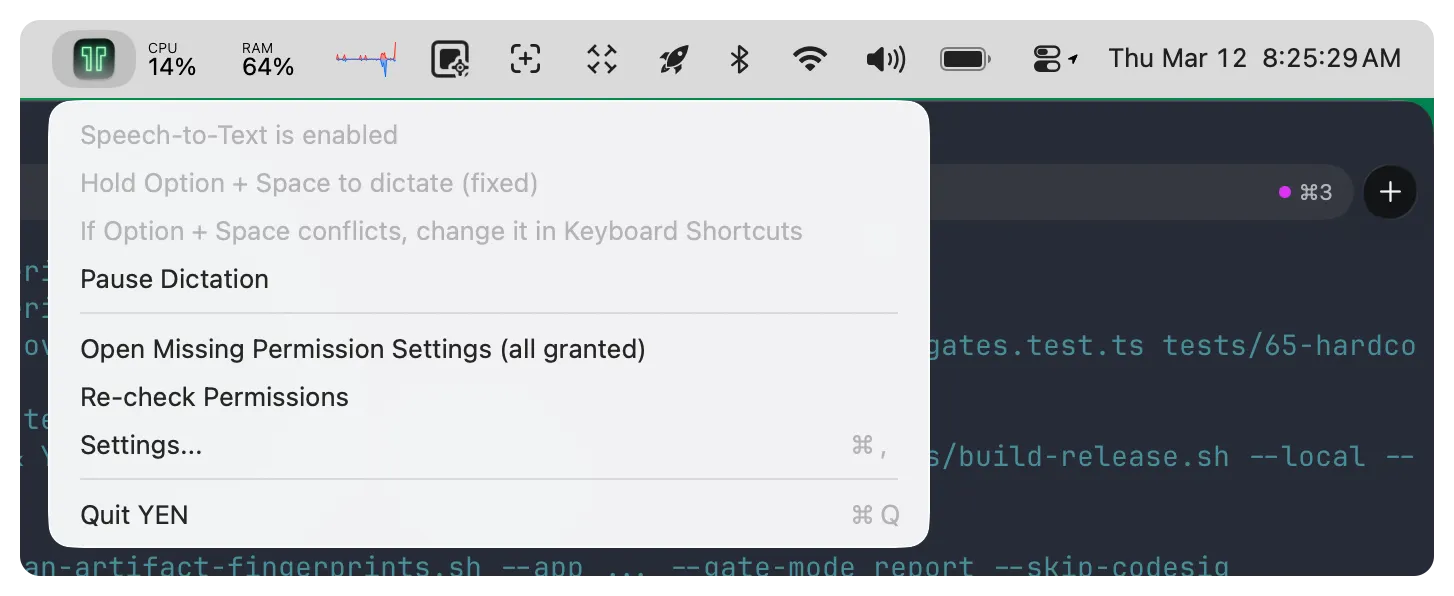
To make the experience even better I’ve made sure to expose the permissions in the Settings Panel and in the top macOS menu bar so the user has confidence that a fundamental part of their (new) workflow is always working.

Not hard to put together but important enough to build and ship. So give it a try!

— 8

More issues

Newer · The Terminal IS the IDE Now ↗Older · From Makefiles to Agentic Skills: Shipping a 30-Language Desktop App via a Single Command ↗All release notes ↗All issues ↗