← Digital Onigiri

From the creator · Week of Nov 9–15, 2026

A New, Updated, and Lovely Settings Page

On being proud of your work.

Technical updates

10 builds through v1.268

Open Settings and your terminal fills the window as a live preview, with a glass inspector beside it holding five short panes: Appearance, General, Notifications, Dictation, and Shortcuts. Pick one of the 20 bundled themes from the dock and the preview changes at once; click a shortcut to record a new one. Search, import and export, and per-pane reset are gone, so changing how YEN looks and behaves takes a glance instead of a hunt. A config with no theme, or one naming a theme YEN no longer bundles, opens with YEN, and the tab sidebar takes its color from the theme the terminal applied.

Switch folders in a split, and the Git drawer follows that split even with the tab sidebar hidden, refreshing when repository files change. Resize a window taller and narrower, and your scrollback fills the new rows instead of leaving a blank gap. Click a split you were not working in and it only takes focus, so neither the press nor the release reaches the program inside it, and a prompt that redraws on resize no longer leaves a stale copy behind. Restore a session and the next thing you type uses room the last page already kept, so it does not pause to allocate it. The sidebar, split labels, command palette, and window backgrounds reuse repeated work, a terminal image stays visible while its replacement arrives, output keeps the valid text before a stray invalid byte, layout presets check the focused pane before opening terminals, and the Indonesian and Dutch translations are refreshed. Late in the week, scrolling and erasing output do slightly less work, and if you set copy-on-select = true in your config, a selection now goes only to the selection pasteboard that Paste Selection reads; set it to both to keep the clipboard copy, which stays the default. If the fallback font for a character cannot load, that cell now shows a replacement mark instead of blanking the whole row.

Dictation drops superseded preview updates and ignores late permission replies from an old session. YEN checks the target pane again before pasting; if paste fails, it tells you once and leaves the transcript on the clipboard. With translation off, the next transcript can insert immediately after pending work finishes. The web guide now groups workspace controls, combines installation with requirements, and removes historical and comparison material, keeping setup and feature limits close at hand.

Every build that week, v1.258 to v1.268 ↗

Written by hand

Notes from the creator

A New, Updated, and Lovely Settings Page

On being proud of your work.

Hey folks,

Sometimes, as an artist, you just know. Right? You just know if something is the way you want it to be and you can just tell that there’s something off.

Even if it’s the slightest pixel.

It’s hard to imagine that I can continue to fall in love with my Terminal, but, the more I spend time tweaking the design, moving pixels a few more off-of-center, the better it feels and the better it operates.
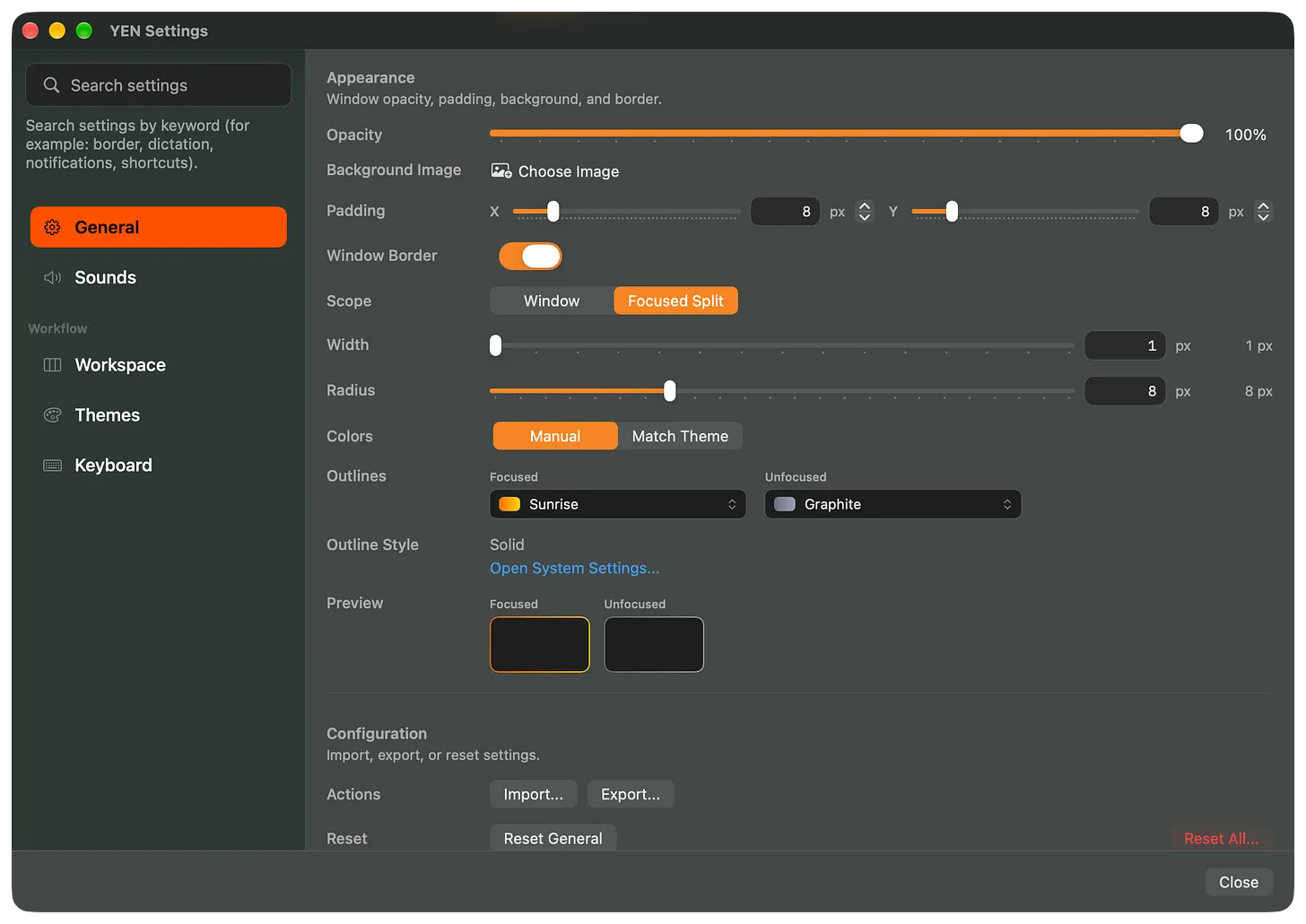
This past week I took a serious loo at the Settings Page and it dawned on me that I hate it, terribly-so. I hate the left-column, tired look and it feels like something out of the mid-90’s in terms of UI / UX.

Enough of that.

So, we’re doing away with this look and coming in with something fresh, something closer to native, and something much more pretty.
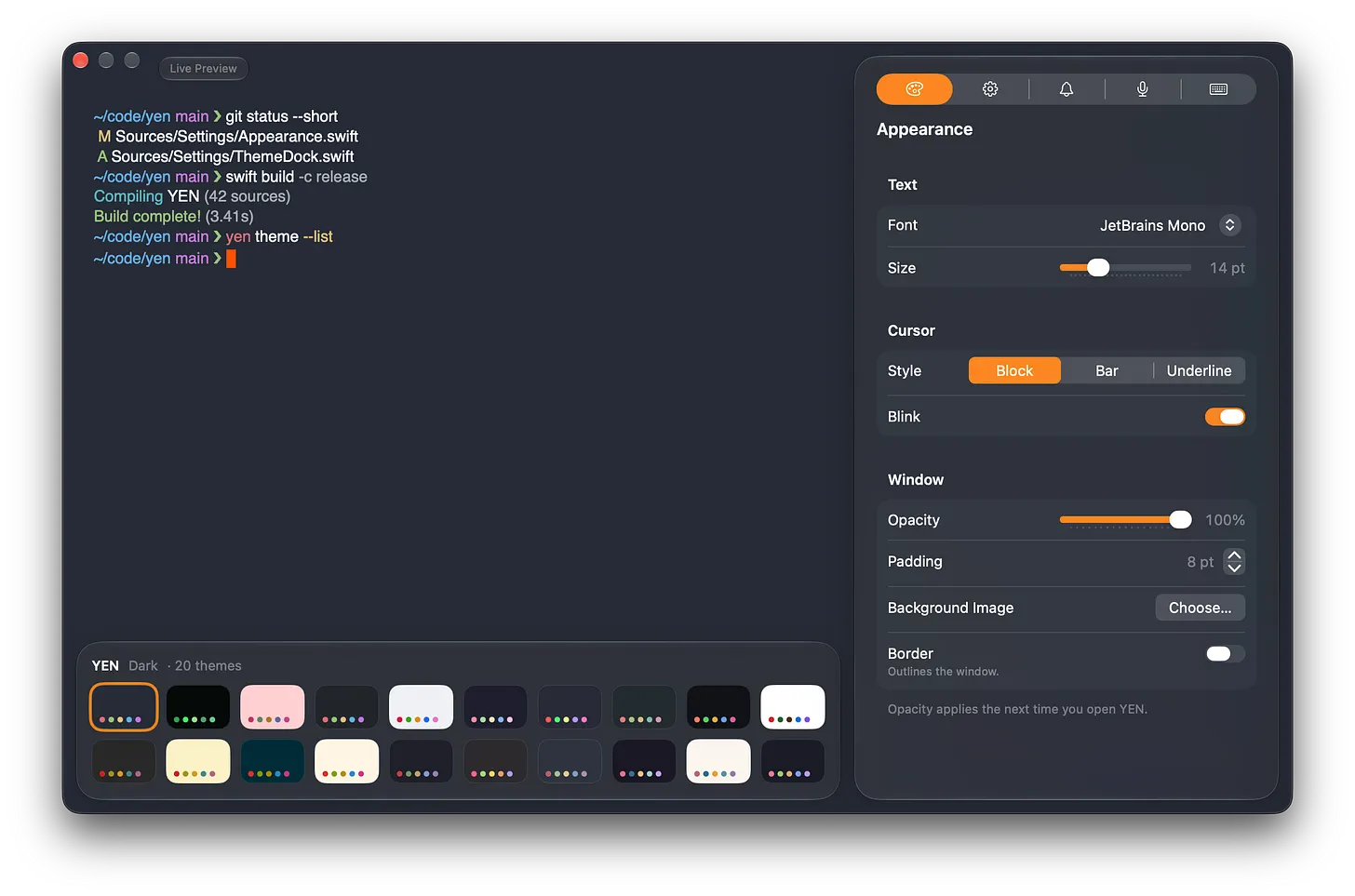
And, I’ve removed a bunch of the cruft like 80+ themes and just focus on the top-hitting, all-time favorites. Might as well.

Now, it’s just there when you need it and gone when you don’t. Side panel on the right and a nice drawer for themes (with more space to preview the results) below. Natively drawn for the latest macOS and painfully translated into something I actually like.
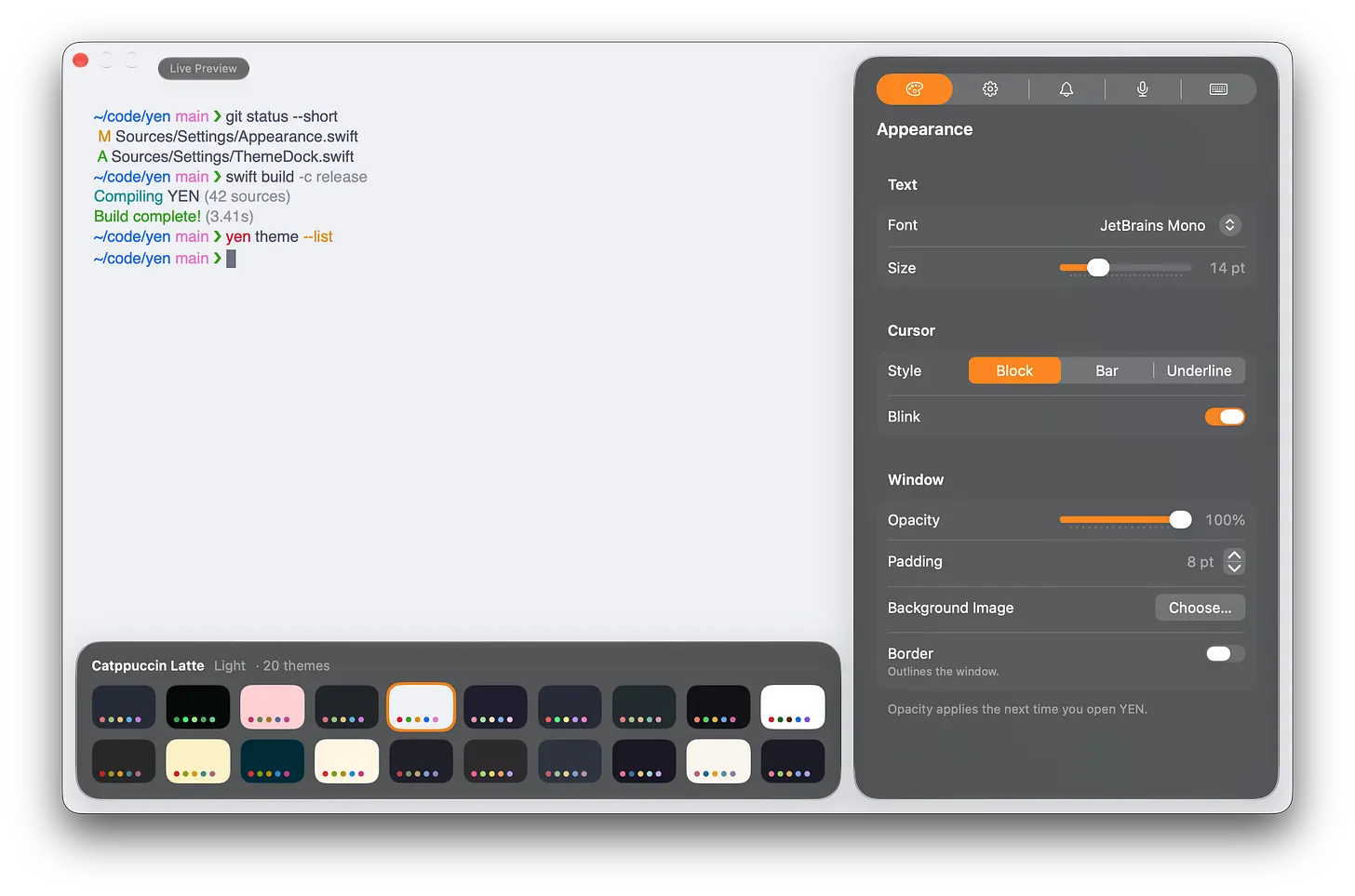
I hope you like it. Fresh off of the bench, version v1.264, and counting.

Talk soon,

8

More issues

Newer · Quit the App, Keep the Shell ↗Older · You Stay in Your Folder ↗All release notes ↗All issues ↗