
Falling in Love with My Terminal
A fortunately long affair.
Hey friends!
It’s been almost 6 months since the official v1.0 release and I’ve been making small patches, updates and improvements every single week.
And, as a result, our community has been growing with new members trying YEN for the first time and quickly moving over as a full-time, daily-driver for any Terminal-centric work. The 31k+ commits this year are evidence enough:
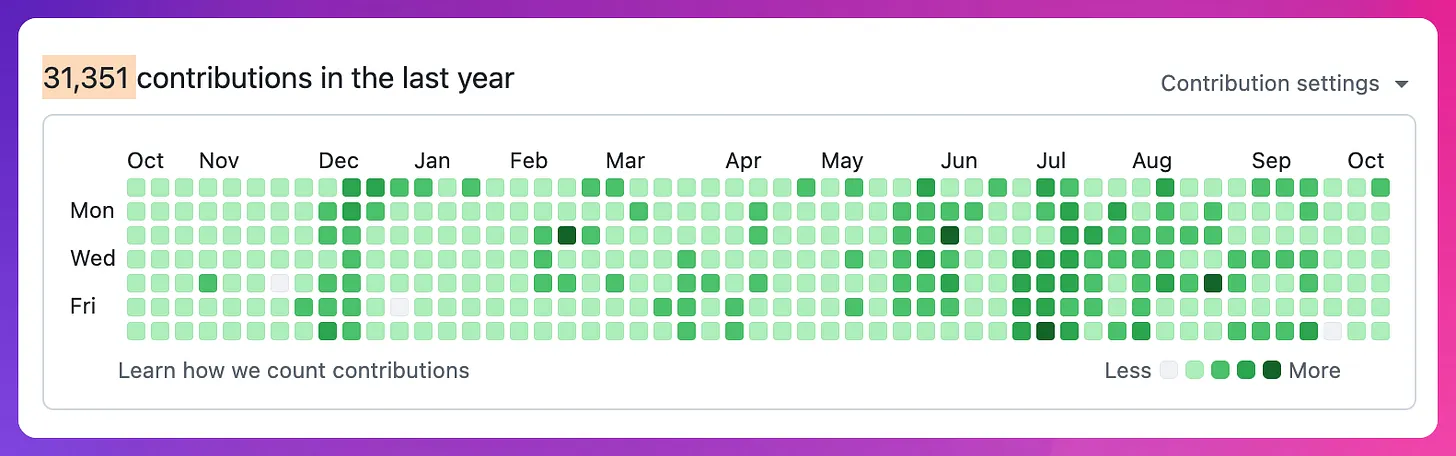
One important note before I share the list of improvements: I’ve been spending more time removing dead (code) weight that isn’t functionally useful or that could be rolled up into utility patterns.
The more important point is the removal part as finding a product that works (really, really well) is often, counter-intuitively, the act of pruning instead of addition.
This seems to be even more important in the age of AI where you can build a somewhat working feature in less than a day and have it ready for real production use by the end of the week.
But this isn’t just a fun piece of software for me; it’s my literal access point to the internet. I spend more time in YEN than any other app outside of Chrome or Safari. It’s how I often “browse” the web — although that word feels less correct than it ever did.
The more focused the product, the better the results.
103 Releases since The Cat
Since I released a small macOS token counting app, I’ve released over 100 updates to YEN — she’s my real baby, besides.
Here are some of the highlights:
Agents, worktrees, and splits fixes.
You can now open new splits directionally (press
cmd + left arrow + Dfor instance. It’ll open up a new one to the left.Split names adopt the worktree that you’re in. Visually makes things even easier to manage inside a large terminal environment.
Updates to Git Drawer and better responsiveness.
macOS dictation improvements for greater speed a reliability.
You can now choose the right dictation microphone that you’d like to use! Simple, elegant, and suddenly very useful.
A nicer waveworm dictation animation.
Fixes to clipboard, copy, paste, and much larger drops.
YEN opens much, much faster. The graphics pipeline warms up the moment the app launches. Up to 30% on the first paint. Each terminal also starts with less fixed memory than original.
Memory management got an update. Graphics memory only when grid grows for instance is a good example of doing it right.
Pinned tab sidebar no longer leaks memory over a long session.
Emoji management so that they don’t slow things down.
Reduction of motion is respected now.
Settings, like your padding for text, didn’t save after update. It should now. Faster, fresh startup times.
And so many more small things that it would make me look way too OCD! The work continues and I’ve fallen more in love with this small thing than I ever thought I could.
Until the next update,
8