← Digital Onigiri

Weekly update · Week of Nov 16–22, 2026

Quit the App, Keep the Shell

Persistent sessions, an outline all the way around the focused pane, and agent usage in the menu bar.

Technical updates

11 builds through v1.284

Start a dev server in a split, quit YEN, and reopen it. The server keeps its port, and your shell comes back with its scrollback. The focused outline now runs around the pane’s header and leaves room for the first and last characters on each line. Pick Comfortable for a gutter or Compact for a thin divider.

Press Cmd + Shift + J for a note that floats over the terminal and remembers its size. For Git, run yengit in the repo or open PR Review from the command palette. The bottom Git drawer has been retired.

Open the menu bar to see today’s local counts for Claude Code, Codex, Grok Build, and OpenCode. Version 1.284 includes older OpenCode session records and captures newly opened windows at their proper size. It runs on Apple silicon with macOS 27 or later, where you can also turn on Moving Wallpaper. Version 1.283 remains available for Intel Macs and macOS 13 through 26.

Digital Onigiri now opens with its original rice-ball cover and a month-by-month archive. Terms opens with a desktop privacy receipt and links to each policy section.

Every build that week, v1.273 to v1.284 ↗

Room for the terminal

A closer look at the new tab strip and sidebar.

Two tabs used to cost you a whole row. In YEN 1.278, they sit beside the window controls. Open another tab and the strip grows. With just a couple open, the rest of the titlebar stays clear for dragging the window.
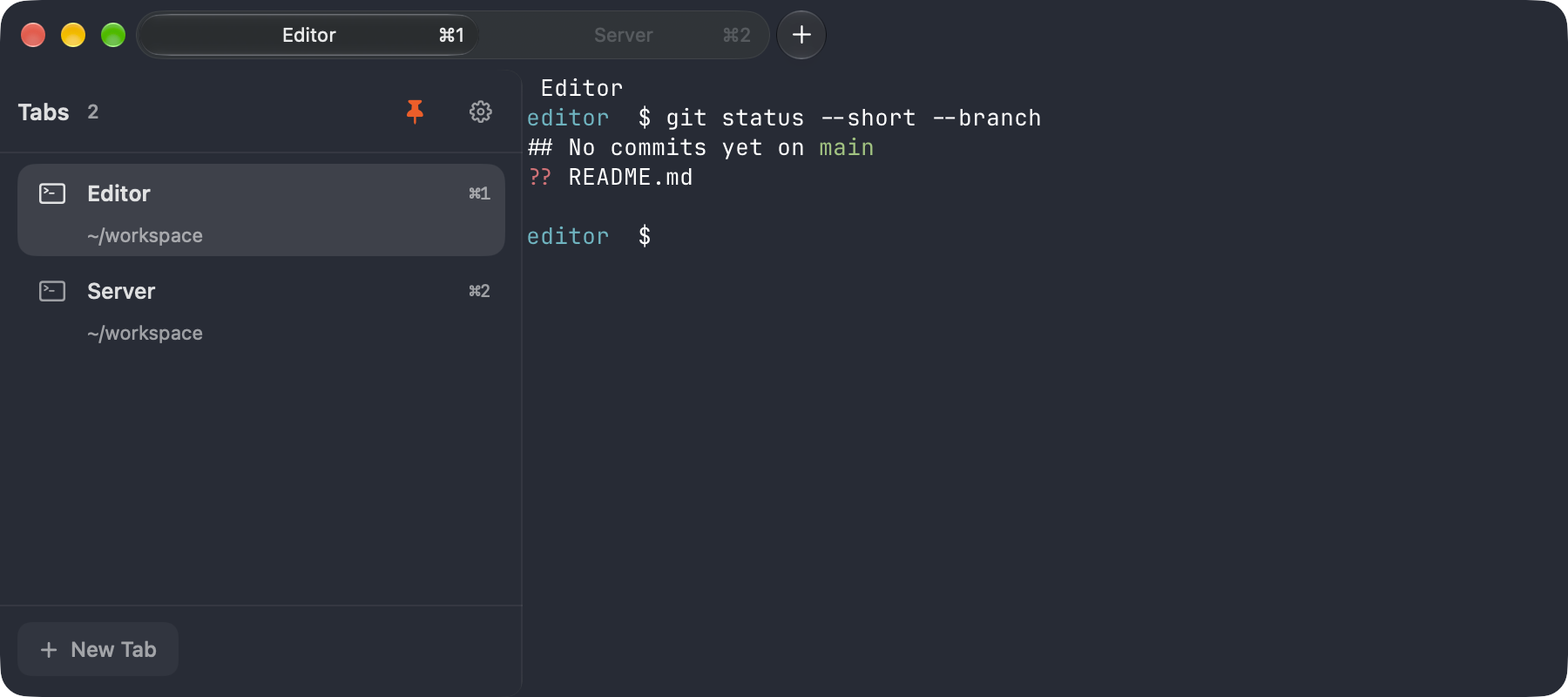
Editor and Server tabs sit beside the window controls. The docked sidebar highlights Editor while its shell shows Git status.

If you keep many tabs open, press Cmd + Shift + B. The sidebar lines up their titles in one column. A quiet highlight marks the active tab. Click the terminal icon beside a title to give that tab a color. Its swatch stays in the same spot, so you can find it again without reading every title.

Pin the sidebar to keep it beside your shell, or leave it floating and press Esc when you finish. In native fullscreen, two buttons before the first tab let you open the sidebar and leave fullscreen. Your windowed sidebar preference stays as you left it. The titlebar layout is the default on macOS 14 and later. On macOS 13 the tabs keep their previous position.

In 1.279, you can move a shell beside the work it belongs to. Grab its split header and drop it on a highlighted edge. Each tab shows the first three pane icons, so you can spot your editor or agent before switching. Use Move Tab to New Window to give a tab its own window. The remaining tabs keep their width when you switch between them.

When you quit YEN with Keep Sessions Running enabled, your shells stay on this Mac. Reopen YEN to pick up where you left off, or run yen sessions to list them.
Agent plans in the menu bar

The token menu now shows every count and plan bar at once.

YEN 1.283 added two experiments that started as separate apps. Moving Wallpaper comes from MovingPaper. Both stay off until you turn them on in Settings.

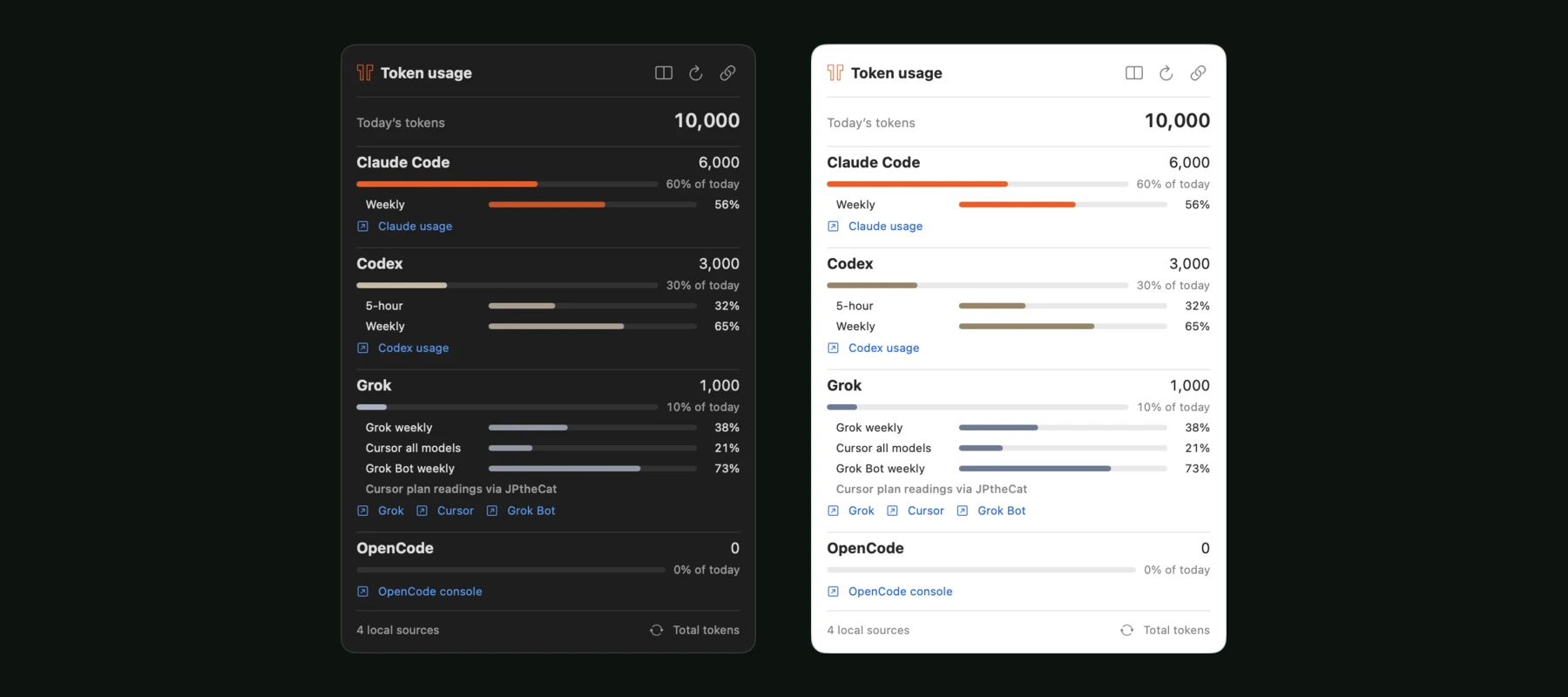
The YEN token menu in a dark theme and a light theme. Each tool shows its count for the day, its share of the total, and bars for its plan windows.

In 1.285, the token menu shows everything at once. Each tool lists its exact count for the day and its share of the total. The plan bars sit right below: a weekly window for Claude, 5-hour and weekly windows for Codex, and up to three pools under Grok. You no longer expand a row to read a number.

A plan bar appears when the tool has recorded a current reading on your Mac.

Two buttons change how much you see. The layout button switches between one column and two. The button in the footer cycles the menu bar through the day’s total, the busiest tool, your plan limits in rotation, and the icon alone. Each tool links to its official usage page. The panel follows your terminal theme, so a light theme opens a light panel.

The counts still come from records that Claude Code, Codex, Grok Build and OpenCode write on your Mac, including work you did outside YEN. None of it goes to YEN’s servers.

Moving Wallpaper lives under General, then Experimental. Pick a video, a GIF, a YouTube link or a clip from Photos, and YEN plays it behind your desktop icons. It starts muted. Each desktop can have its own selection. Turn it off and your own wallpaper is back.

To try the counter, open Settings, then General, then Menu Bar, and turn on Show Token Usage. The manual explains how each tool counts.

More issues

Older · A New, Updated, and Lovely Settings Page ↗All release notes ↗All issues ↗