


Hey folks!
I hope 2026 is treating you well so far. It’s been a minute since the last update, and I wanted to share something I’ve been quietly working on.
UPDATE! We’ve become much, much more:
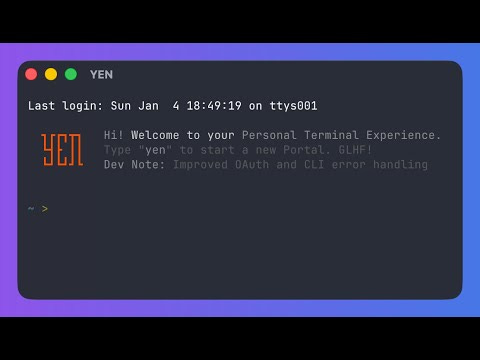

Imagine: Super-fast Speech-to-Text without AI Dependencies, Inside Your Terminal.
Here’s a confession: I talk to myself while coding. I really do enjoy the conversation and with the recent growth of AI-centric speech-to-text tools, it’s been awesome!
And when done well it’s much, much, much faster.
The problem is that I’m not down with having to sign-up for a cloud service to gain access to a “model” and I’m certainly not sending ANY of my precious data to an LLM to recycle into their global workloads and outputs for others — I simply do not trust any service that fundamentally behaves like that.
Besides, that feels a bit anti-terminal. As long as I’ve been using them they have always been like so:
Required zero internet connection to be useful. Works 100% offline.
Sends zero data to external services (unless you want it to). 100% private and I stay 100% in control.
Intentionally spartan. The UI and UX is designed to help you focus, maximizing speed of thought and production. Zero bloat. 100% throughput.
And to the the 3rd point, when it comes to speech-to-text (or voice-to-text) many of these services are incredibly heavy, increasing the binary size of the app with very little support for languages and certainly zero additional cloud computing or LLM costs to run the packages.
What the heck happened to the original vision of a beautifully crafted, ultra-focused tool that just gets the job done without getting in the way?
I want to bring that back. That’s why I’ve been building YEN.
Why This Matters and How It Should Work
I’ve been thinking a lot about what “modern terminal” actually means.
Some tools interpret it as “add AI everywhere and require a cloud account.” Warp, for example, is impressive engineering — but it also wants you to sign in, and some features require sending data to their servers. That’s a valid approach for some use cases.
It’s just not mine.
Your terminal sees everything. Your commands. Your passwords. Your API keys. That embarrassing rm -rf you almost ran on production. I didn’t want to build something that phones home with any of that.
YEN’s Product Philosophy:
Local-first, privacy-respecting, zero bullshit.
You download it, you use it, you own your data. The features just work. Wherever you are. Online but especially offline. It works on airplane mode. It works when your VPN is being weird.
It just works.
And so I built voice dictation (speech-to-text) directly into YEN. Hold Option + Space, speak, release. Rinse, repeat. Your words appear at the cursor. That’s it.
What’s crazy is that I searched and iTerm2, Alacritty, Kitty, Warp, WezTerm, Hyper — none of them have this. Third-party tools exist, sure, but they’re bolted on, not built in.
Could it be possible? Is it really true that YEN is the first terminal emulator with native voice dictation baked inside?
Wow. That’s kinda neat.
So, how does it actually work? For the engineers in the room (which is... most of you I gather), here’s the implementation:
Global Hotkey Detection
The hotkey uses CGEventTap at the session level — not Carbon hot keys. This lets us intercept Option + Space before any other app sees it, which matters when you’re running tmux inside vim inside an ssh session.
The event tap consumes all keyDown events, including auto-repeats from holding the key, which prevents the terminal from beeping at you repeatedly.
Ask me how many builds it took to figure that one out.
¯\_(ツ)_/¯
On-Device Speech Recognition
We use Apple’s SFSpeechRecognizr with a key flag and On macOS 13+ this forces all recognition to happen locally. Your audio literally never leaves your Mac.
On older systems, it falls back to Apple’s servers — still within Apple’s ecosystem, not some third-party AI service.
Limitations are Good
Apple’s Speech API has a hard limit around 60 seconds for continuous recognition. Most implementations would silently fail here. Your transcription would just... vanish.
We don’t do that. When you hit 60 seconds, YEN auto-pastes what you’ve said and lets you continue with a new session if needed. It’s not just elegant, it’s the best way of communicating with a computer: Short, concise, targeted, and iterative for best results and most consistent results.
Text Insertion That Works Everywhere
Here’s a fun problem: how do you insert text at the cursor position in any context — shell prompt, vim, nano, a Python REPL, whatever? Over SSH? Inside tmux?
The answer is a clipboard swap:
Save current clipboard contents
Put transcribed text in clipboard
Simulate Cmd + V paste via GEvent
Restore original clipboard contents
This works everywhere. Your clipboard is back to what it was before, like nothing happened.
Visual Feedback
When dictating, the window title gets a red recording indicator with proper accessibility support. Simple, but it removes all ambiguity about whether YEN is actually listening. The original title is stored and restored when you release the key.
The Architecture
Three files. ~400 lines total.
DictationHotKey.swift — Global hotkey via CGEventTap, key repeat handling |
DictationController.swift — Orchestration, permissions, 60s timer, recording indicator
DictationRecognizer.swift — SFSpeechRecognizer wrapper, AVAudioEngine for mic input
No frameworks. No dependencies. No SDK. Just Apple’s native APIs doing what they were designed to do.
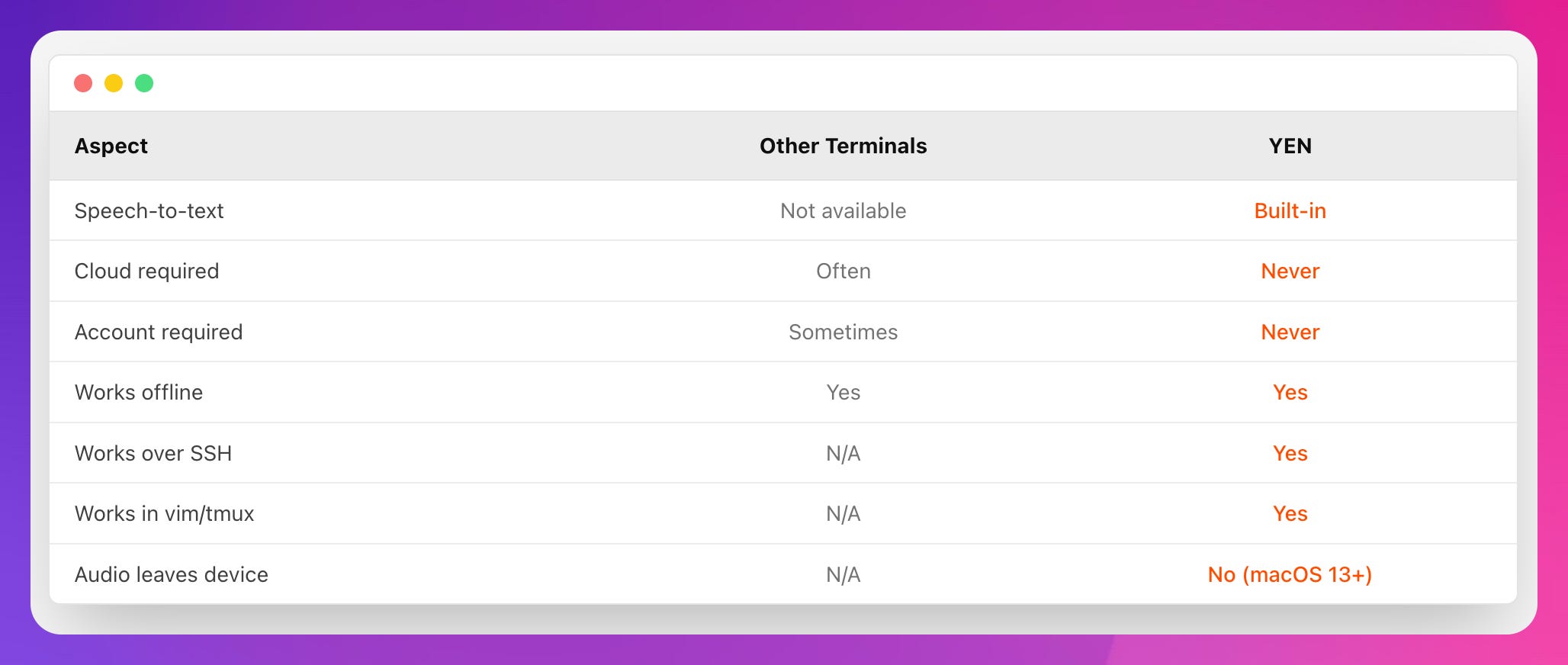
YEN is built different: Local-first, respects your privacy, and no bullshit. Pure productivity.
Try It and Give Me Some Feedback
Download YEN, boot it up, and then hold Option + Space and say something. Grant the permissions when macOS asks:
Accessibility — For the global hotkey
Microphone — Obviously
Speech Recognition — For the transcription
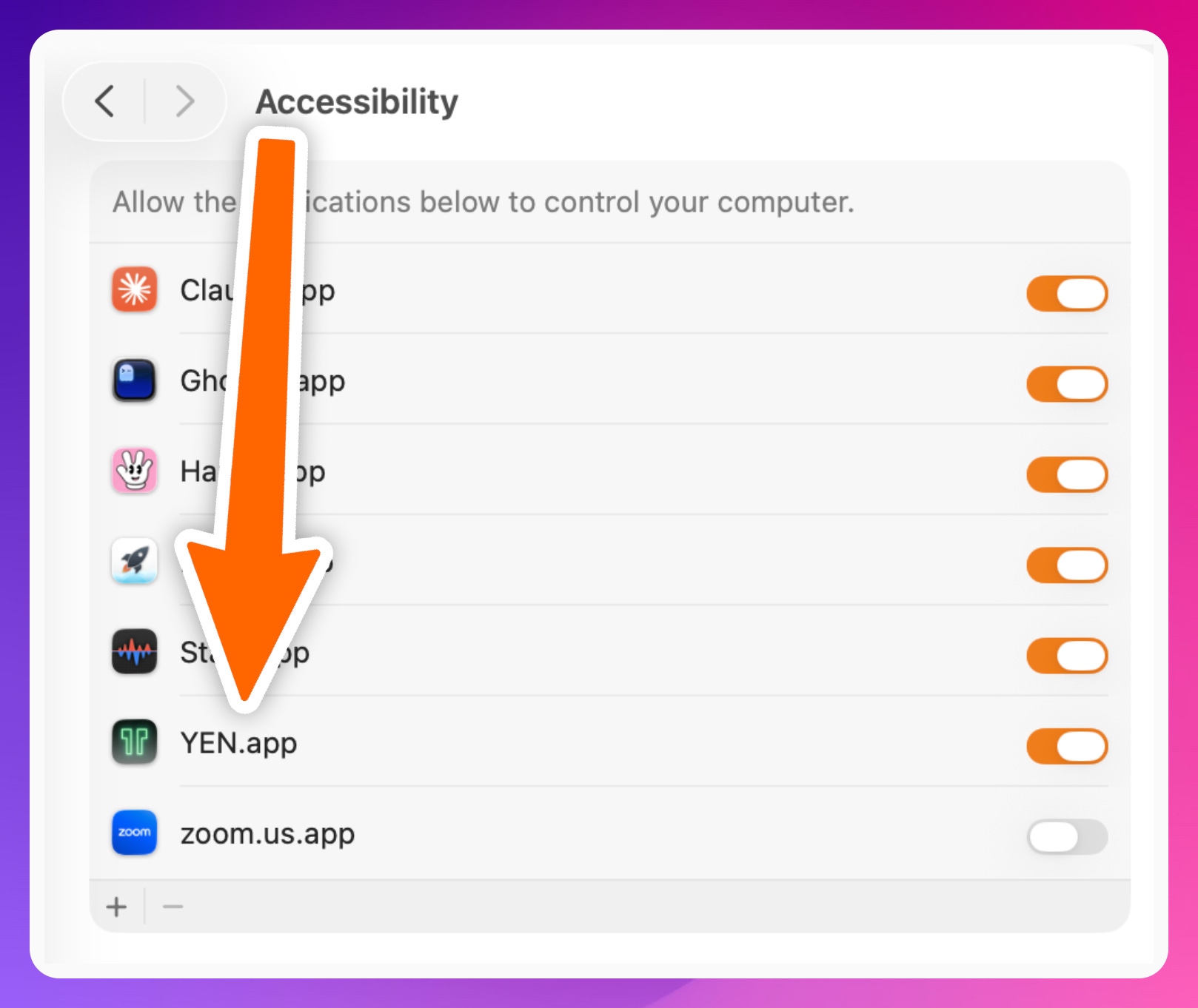
All standard system permissions. Nothing sketchy.
Have fun!
— 8
Couldn't agree more. Your insight into terminal philosophie versus current AI bloat is, as always, spot on; now I can talk to my machine without worrying it's gossiping.