


Hey folks!
There is a particular kind of terminal chaos that shows up the moment you stop demoing and start actually working.
One pane and/or tab runs the dev server. Another one runs tests. And of course you’ve got one that tails logs. One is a scratch shell you swear is temporary. They all live in the same repo. They all look almost identical. And after a while, your brain is doing bookkeeping the computer should have handled for you.
Mental. Burn. Out.
The tabs help, of course, but tabs are too coarse for this problem and there’s definitely better UX available, right? If your real workflow lives inside a split layout, the unit that needs identity is the pane.
That is why YEN now has Split Labels.

Turn them on in Settings » Workspace » Split Labels. Once enabled, each split gets a small pill at the bottom-left corner using the active terminal theme colors.
Click it directly or open Cmd + Shift + P and run Rename Split Label, and that pane can become anything you want it to be: Server, tests, queue worker, staging ssh, or whatever your future self will thank you for.
Most terminals let you rename tabs. That is useful, but it is not the same thing.
If you work in a three-column layout for client, API, and tests, a tab title does not solve the real problem. The panes are still where the context lives. Split Labels are independent from window titles and tab titles, because pretending those are the same thing just moves the confusion around.
It’s a simple concept:
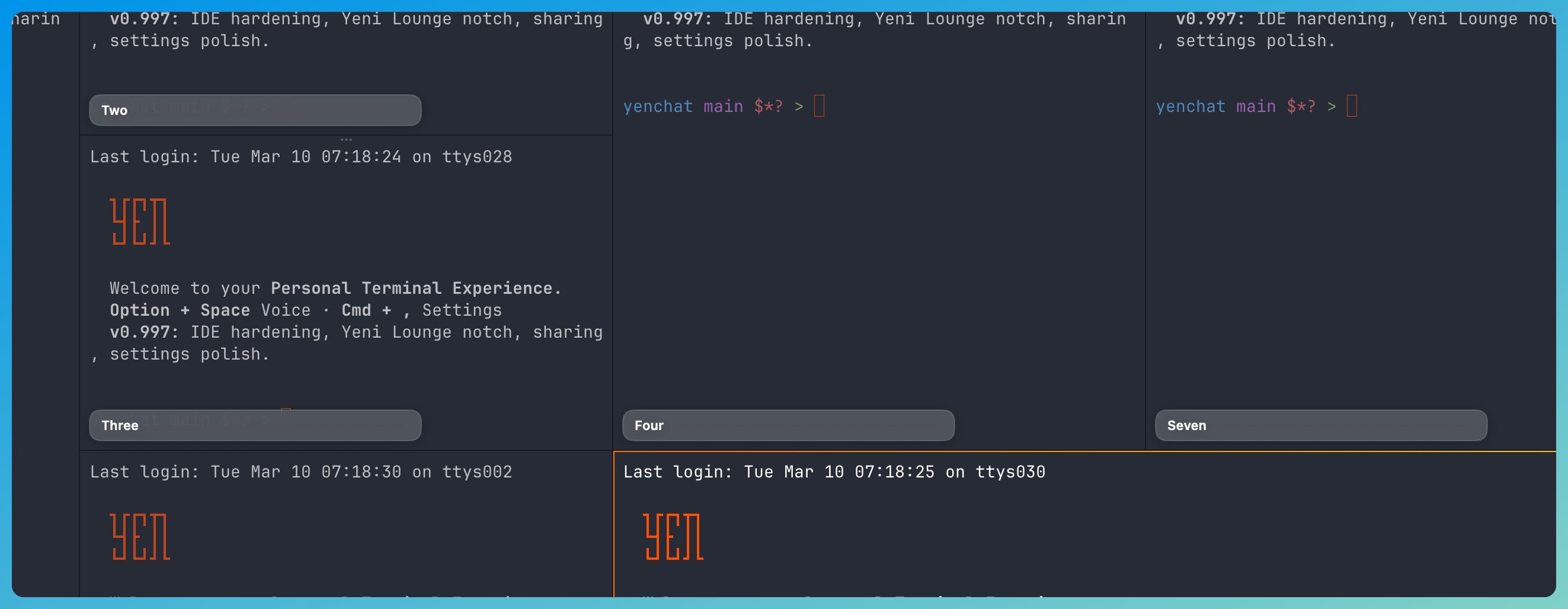
And the fallback behavior is intentionally boring.
Leave the field blank and YEN goes back to an automatic pane label. That path uses the pane title when it is meaningful, otherwise the working-directory leaf, otherwise Terminal. No weird placeholder nonsense. No permanent rename required just because you wanted a quick label for one session.
But, if you want, it’ll persist.
A lot of terminal UI tricks feel nice right up until you close the app and discover they were only decorative. In YEN, Split Labels are stored with restore state per pane, so they survive tab switches, window restoration, and full session restarts.
If you named the left pane api and the right pane web, YEN should remember that instead of making you rebuild your mental map every morning.
There is also some deliberate restraint here.
The label does not force itself onscreen in every situation. If a pane is too small, if a URL hover preview is visible, or if you are dragging panes around, the label hides. That is not the feature failing. That is the feature refusing to become clutter at exactly the moment the space is tight or the interaction is doing something more important.
No split, no label. Also intentional. UX is how you win minimizing the cognitive load for the user and making the quality of life better. Take a look:
This is one of those details that sounds small until you use it for a week and then wonder why terminals ever stopped at tab titles.
A terminal-first IDE lives or dies on whether it respects working memory. Engineers already keep too much state in their heads. Which pane is production logs. Which one is the migration. Which one is safe to kill. Which one has the REPL with the weird local setup. The terminal should carry more of that load.
That is the philosophy behind Split Labels. Not bigger chrome. Not decoration. Just a small, local-first piece of interface that makes multi-pane work easier to read.
Apparently I needed to build pane name tags because my own split layouts had reached the “which one of you is the test runner again” stage of evolution. Ask me how many times I clicked the wrong pane before admitting tabs were not enough.
If you live in split-heavy terminal layouts, this one should just work.
— 8