


Hey folks!
Remember when I said YEN was the first terminal with built-in speech-to-text? That was true. But it was also underselling what I had actually built.
And apparently voice in the future for AI and user experience as the next interface? Maybe we’re just ahead of the curve!
If you missed my first post on adding speech-to-text then you can find that here:
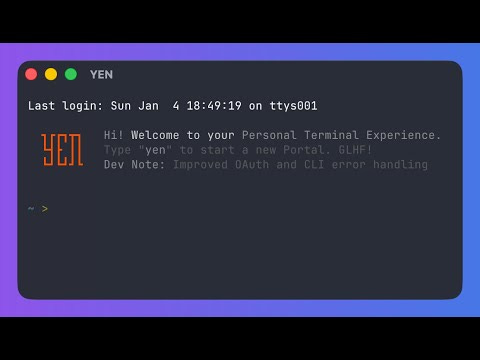
Starting with v0.66, Option + Space works in any macOS application, not just YEN. Safari. VS Code. Notes. Slack. TextEdit. Google Docs. Wherever and whatever you’re typing in right now. Hold the keys, speak, release. Text appears at the cursor.
Magic.
So, the truth is that I accidentally built a system-wide dictation engine and then decided to make it intentional. I love it when a plan comes together.
How a Terminal Became a Dictation Platform
Here’s the architectural joke: I was already 95% of the way there and I didn’t realize it.
Three of the four components in YEN’s dictation stack are inherently global:
Hotkey detection via CGEventTap at the session level.
Microphone capture via AVAudioEngine regardless of which app is focused.
Text insertion via the YEN responder chain.
All in a single, unified function call. Neato! Here are some other considerations in the latest release that I had a lot of fun thinking through and implementing.
The Menu Bar Mic
When dictation only worked inside YEN, we could show a recording indicator in the window title — a blinking red dot. But when you’re dictating into Safari, there’s no YEN window visible. You need feedback somewhere universal.
The answer I found was NSStatusItem — a menu bar icon. During dictation, a microphone icon appears in the macOS menu bar and blinks at half-second intervals. When you release the key, it disappears.
A Clipboard Timing Problem
Both paste paths — responder chain and CGEvent — use a clipboard swap:
Save current clipboard
Write transcribed text to clipboard
Trigger paste
Restore original clipboard after a delay
The delay is the interesting part. For the in-app path — NSApp.sendAction — the paste dispatches synchronously through the responder chain — 0.3 seconds is plenty. But the CGEvent path is asynchronous and the synthetic Cmd + V event goes into the target app’s event queue and gets processed on its next run loop iteration.
If the target app is a heavy Electron app (VS Code, Slack) or a Java IDE (IntelliJ), or if it’s mid-garbage-collection, or just waking up from a background state — the paste event might sit in the queue for a while. If we restore the clipboard too soon, the app pastes whatever was on your clipboard before dictation.
The fix is unglamorous but important: 0.3 seconds for in-app paste, 1.0 second for cross-app paste. Longer delay means a slightly longer window where your clipboard contains the transcribed text, but it beats losing dictated content silently.
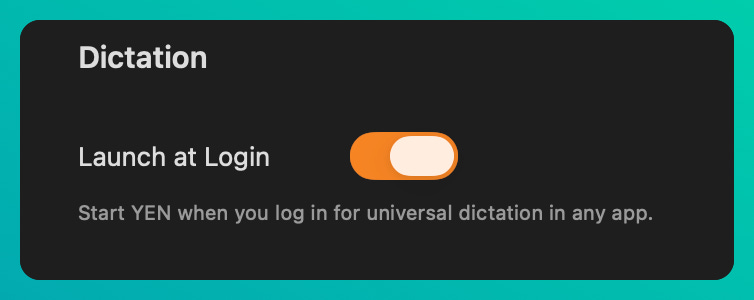
Launch at Login
Universal dictation is only useful if YEN is running. You shouldn’t need a terminal window open just to dictate into Notes or any other app that you want.
So, I figured we could add a small toggle in the Settings View that would simply launch when you login:
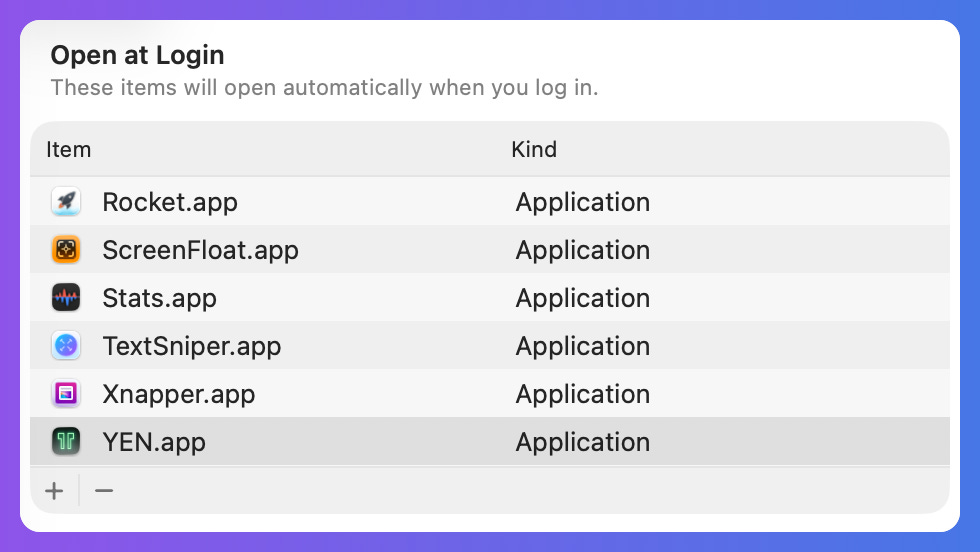
You can head to your System Settings > General > Login Items to review once you toggle it on in your app settings. Done and done.
What This Means
A terminal app that provides system-wide dictation is... unusual. I know that. “Install a terminal emulator to get voice typing in Safari” is not a sentence that should make much sense or one you certainly do not hear often.
But these counter-intuitive ideas have helped me think differently about what a platform is and how it should be built and used. In the case of YEN, under the hood it’s just a native macOS app with accessibility permissions, a global event tap, and direct access to Apple’s speech recognition framework. The terminal rendering is just one surface. The hotkey and microphone and neural engine — those work everywhere.
Consequently, unlocking and exposing these already-universal elements, workflows, and usability patterns allow users to produce their good work — at speed — without having to necessarily learn new behaviors.
You see, most terminal emulators are sandboxed to their own window. YEN has always been different — the overlay architecture, the our scaffolding of technologies at build time, the 8+ language stack — I’ve been looking at the Terminal and an IDE from a very different perspective already and so when I thought about Universal Dictation and Speech-to-Text I realized that it is one of the first features where that architectural ambition pays off in a way that benefits you even when you’re not looking at a terminal.
And thus a “platform” was accidentally born.
We’ll chat soon!
— 8
A Few (Present) Limitations
Great products solve very acute problems really, really, really well. Good products seem to try to be everything, all-at-once. YEN will never be that as every decision I make needs to be backed by real-world interactions and use and I ruthless prune features that I have built because through my own use I found them to be unnecessary. Obsession is another word that might be relevant.
As a result, there a few intentional limitations that are present and should be accounted for (but with good reason):
60-second limit — Apple’s SFSpeechRecognizer API has a hard cap at ~60 seconds for continuous recognition. This isn’t a bad thing as we’re not a universal, always-on note taking (or conference / meeting notes) app. YEN will auto-paste your content after 60s for apex memory management and to force you to be more concise with your thoughts and words. Yes, YEN makes you a better thinker and communicator (to machines). Cool.
Password fields — Some apps block Cmd + V in secure text fields. Dictation into a password field fails silently. This is the same behavior as macOS built-in dictation — it’s a security feature, not a bug.
Electron edge cases — A few Electron apps intercept Cmd + V in non-standard ways. Edge cases, not blockers. Works fine in VS Code and Slack. Electron is slow af and I kind of hate it.
YEN’s necessary presence — This is why I built the “Launch at Login” to make this seamless. Without it, you need at least one YEN window open (or the app running in the background). But this isn’t a surprise to anyone.
For the code jockeys, the total implementation for this particularly feature was 3-4 weeks of hardcore slamming my head against a digital brick wall and then approximately ~100 lines of new code across 4 files. The other 95% was already there. Go figure.