


Hey folks!
There is a pattern I have been watching for years.
Most developer tools say they love the terminal, then quietly treat it like a basement utility room. And it always kind of feels like it lives in the basement at the bottom of the screen, right?
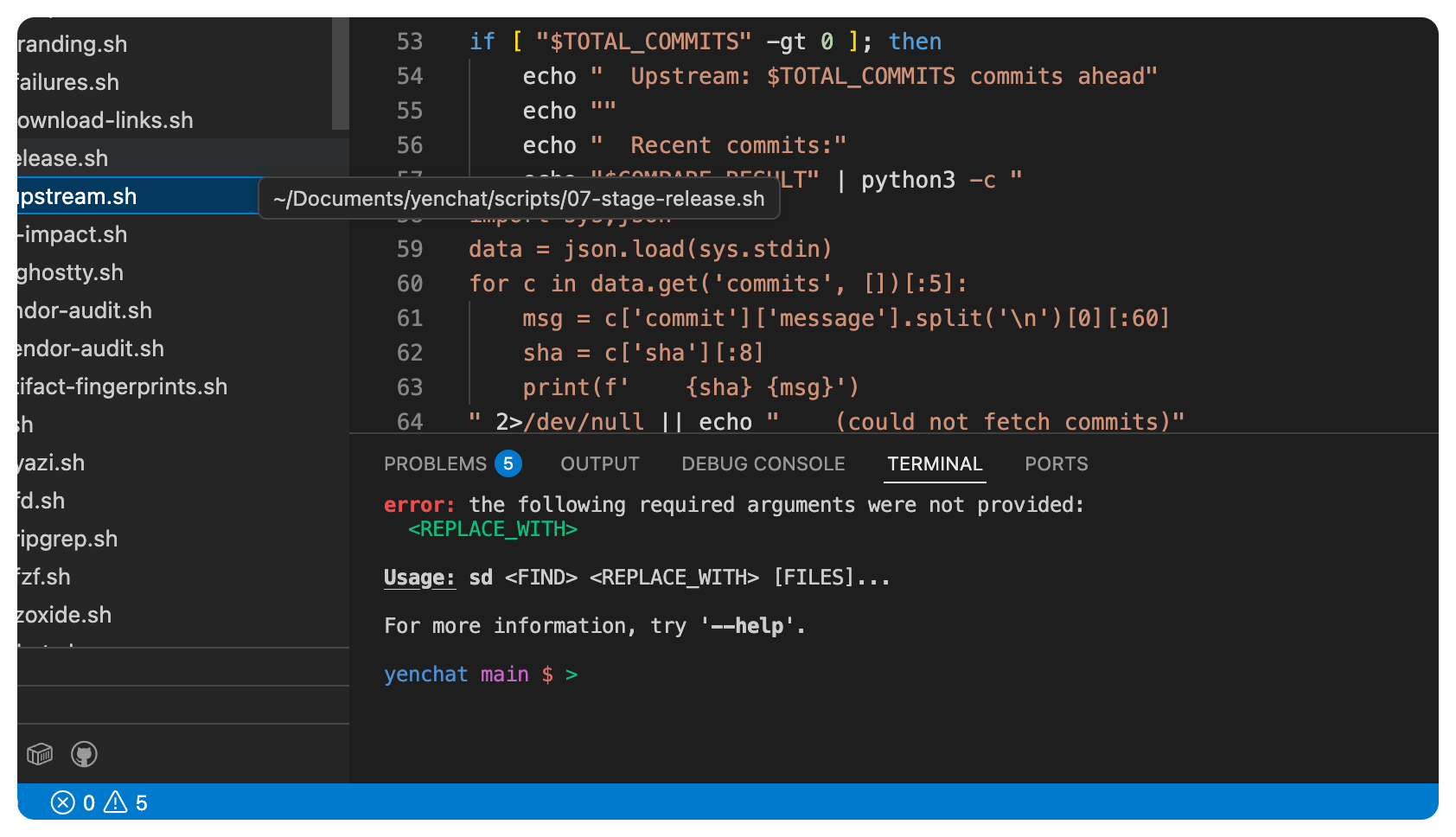
The editor gets the architecture. The terminal gets a small panel.
Boohiss.
The editor gets the first-class search, the code intelligence, the review flows, the collaboration story, the automation surface, and the gentle product language about focus and speed. The terminal gets a rectangle at the bottom and maybe a button that says “open integrated terminal.”
I never thought that that was good enough, at least from my perspective!
The terminal is not a sidecar for serious engineering work. It is the place where code actually meets reality. It is where builds fail, migrations go sideways, diagnostics become actionable, PRs get reviewed, services get restarted, environment mistakes surface, and dangerous commands should feel dangerous before you press Enter.
That is why I have been pushing YEN toward a different thesis: Do not bolt a terminal onto an IDE. Build the IDE around the terminal.
And the most recent release — v0.999 — is the biggest step so far in that direction as YEN now ships a real terminal-first IDE surface.
Not a concept page.
Not a chat sidebar pretending to be an IDE.
Not a cloud account plus a terminal skin. Eww.
Nope. None of those things. Instead, we have a real, local-first workflow stack that starts in the terminal and stays there unless a richer native macOS surface is actually justified. Here are the 8 major pieces that bring it all together.
1. Project Awareness
The first big piece is project awareness.
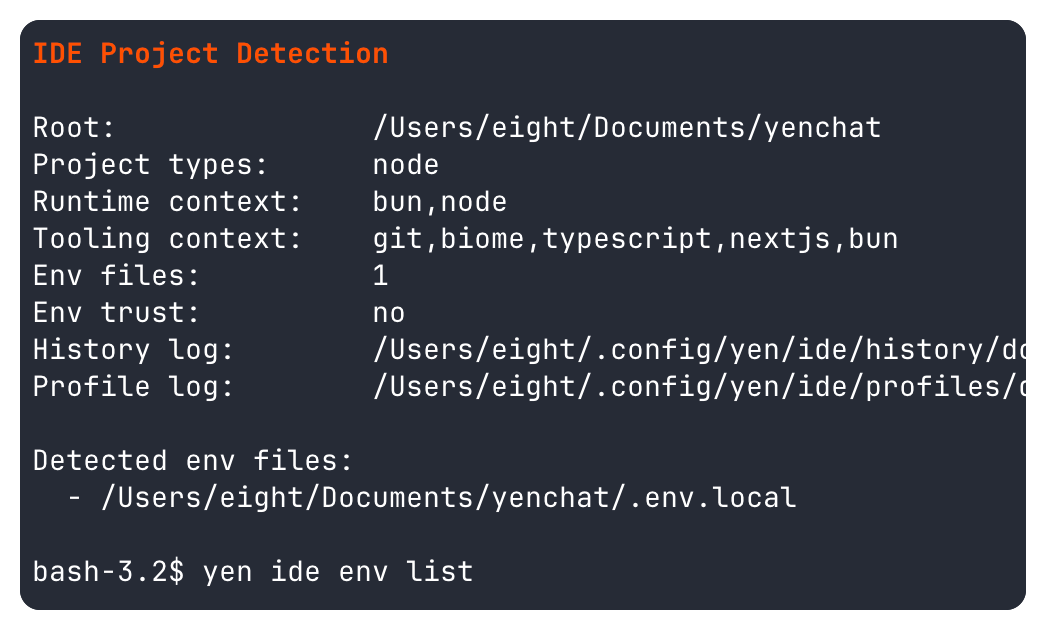
YEN now understands enough about the current repository to make terminal workflows feel contextual instead of generic. yen ide detect finds the project root and runtime / tooling context. yen ide env gives you explicit trust-gated environment loading. yen ide history, replay, and profile turn the terminal into something closer to a project memory instead of a disposable scrollback trench.
That matters because terminal-first tooling only works if the terminal knows where it is, all the time, even when you forget.
2. Search with First-Class Objects
The second big piece is search that treats engineering artifacts like first-class objects.
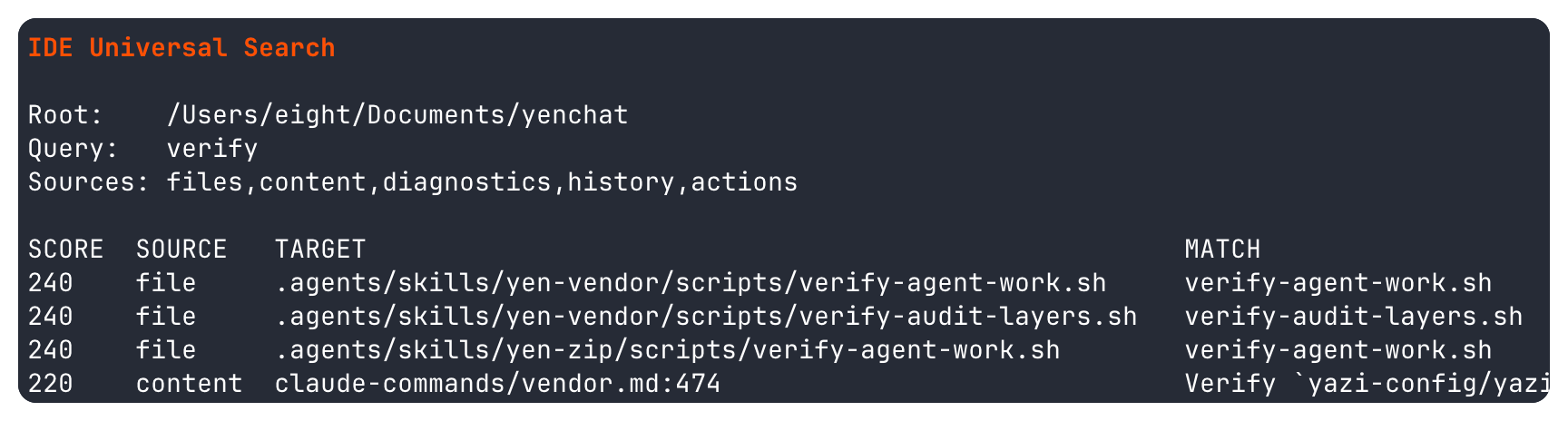
yen ide search can rank across files, content, diagnostics, project history, and actions. On macOS, the same contract now powers the desktop command palette. Empty query launches actions.
A typed query searches built-in actions first, then falls back to project files, content, diagnostics, and recent history for trusted local repos. That means the search surface you invoke with Cmd + Shift + P is no longer just a launcher.
It is a project-aware terminal IDE entry point.
3. Local Code Intelligence
The third big piece is local code intelligence.
YEN now ships an explicit LSP control plane with yen ide lsp trust, start, status, diagnostics, hover, definition, references, rename, stop, and a bounded install matrix. Cool.
This all includes real resolver-backed supervision when a local language server exists, placeholder guidance when it does not, grouped diagnostics snapshots with freshness labeling, and interactive request surfaces that stay honest about whether they are using live LSP or syntax-aware fallback.
That last part matters to me a lot. I do not want “smart” terminal tooling that lies.
If YEN is using a live language server, it says so. If it is using AST fallback, it says Source: ast. If the language is unsupported or the expected local server is missing, it says that too.
Honesty is a feature. Who would have thought.
4. Syntax-Aware AST Queries
The fallback layer is the fourth piece: Syntax-aware AST queries.
When live LSP is not available, YEN can still answer useful structural questions with yen ide ast status, definition, and references for the currently shipped languages.
That means the terminal does not have to collapse all the way down to dumb text search every time a full server is absent.
5. Execution Discipline
The fifth piece is execution discipline.
This is where terminal-first IDEs have a chance to be better than editor-first ones. Or that’s the hope!
YEN now ships yen ide explain for failed command analysis, yen ide verify for multi-language verification bundles, yen ide gate for risk-aware approval checkpoints on dangerous commands, yen ide workflow for schema-validated project workflows, yen ide timeline for local audit events, and yen agents for first-party adapter coordination. Wild.
There is also yen ide pr-notify for GitHub review-request polling and yen ide pr-review for focused diff review, evidence bundles, inline comments, and explicit review decisions.
This is not about adding ceremony.
It is about making the terminal better at the parts of engineering work where context, the ability to easily review work, and general safety actually matter.
6. Collaboration without Bloat
The sixth piece is collaboration without a custom relay empire.
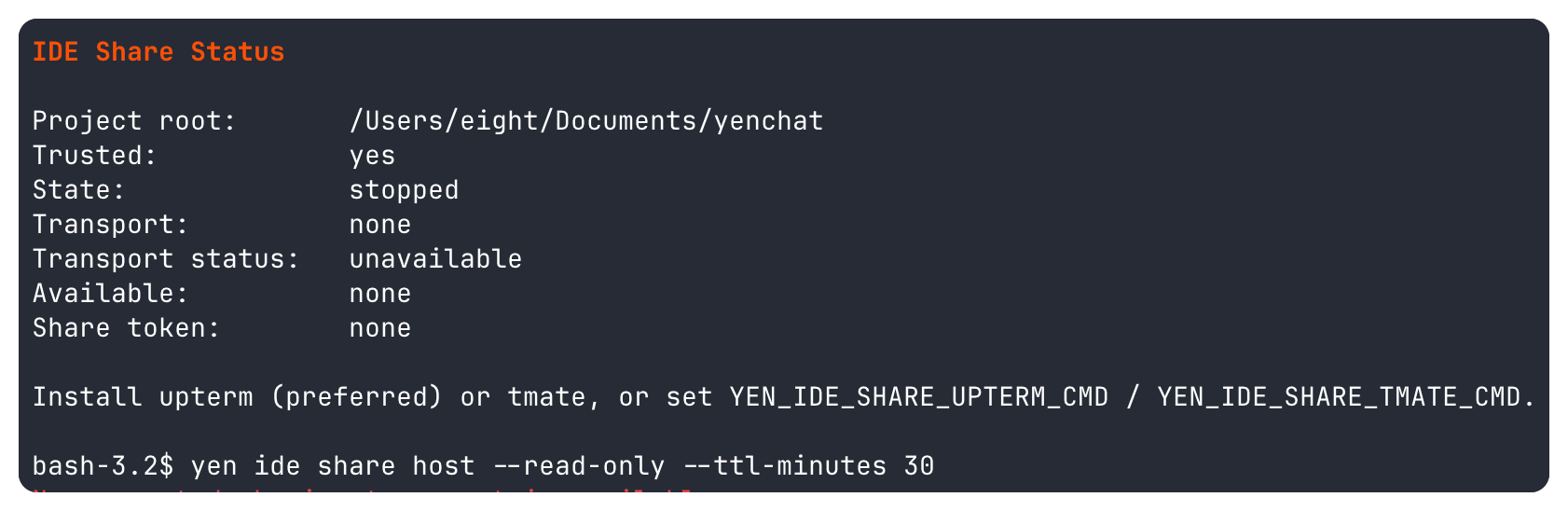
YEN now ships yen ide share status, host, join, revoke, trust, and untrust using an integration-first transport model: upterm first, tmate as fallback. Share tokens are encrypted locally. Hosting is per-project and explicitly trusted. Join flows validate the token locally before any transport command runs. Sessions can be read-only or interactive. TTL expiry and immediate revoke are part of the contract.
This was an important design choice.
I did not want to build a bespoke terminal-sharing service just to say YEN has collaboration, which would be fun but not entirely useful.
You see, there are good maintained tools for this job already. The right move was to build the control plane, trust model, audit trail, and operator ergonomics around them instead of pretending every feature needs a net-new backend.
7. Environment Parity and Migration
The seventh piece is environment parity and migration.
YEN now ships yen ide devcontainer status, up, shell, and down as a trust-gated wrapper around the reference devcontainer CLI. It is intentionally local-workspace scoped. No hidden runtime. No bundled container stack.
No pretending YEN needs to become Docker Desktop.
YEN also ships yen ide vscode inventory and import so teams can inspect existing VS Code workspace config, classify what is supported or partial, and write deterministic YEN-local migration artifacts without mutating the original workspace by surprise. Dry runs emit real diffs. Applied writes are convergent. That is the kind of migration behavior I want from tooling: boring, inspectable, and reversible.
8. Native macOS IDE Surfaces That Actually Help
The eighth piece is native macOS IDE surfaces where they actually help.
This is the part that makes YEN feel different.
The command palette now exposes quick IDE actions like IDE: LSP Status, IDE: LSP Diagnostics, IDE: LSP Install Matrix, IDE: Share Status, IDE: Share Host (Read-Only), IDE: Share Revoke, IDE: Devcontainer Status, IDE: VS Code Inventory, IDE: VS Code Import (Dry Run), and IDE: AST Status.
On top of that, macOS now has a dedicated desktop PR review workspace and a dedicated desktop merge-conflict workspace launched from the same palette. Those are native surfaces, not browser panes, and they stay anchored to the active repository context instead of trying to replace the terminal.
That is the pattern I want YEN to keep following.
If a task is fundamentally terminal-native, keep it in the terminal.
If a task genuinely benefits from a richer surface, build a native one and keep it close to the terminal instead of escaping into a second application model.
That is a better division of labor than the one most IDEs settled on.
Bonus: Local First
There is also a security and trust story here that I think matters more than the marketing layer most developer tools put on top.
This IDE stack is local-first. Project trust is explicit. The LSP runtime is per project. Sharing trust is per project. Diagnostics snapshots are local.
Devcontainer orchestration shells out to the reference CLI you already chose to install. VS Code import writes project-local artifacts instead of disappearing into a hidden sync service.
None of that is as flashy as saying “agentic workspace intelligence” in a launch trailer, but I think it is the right way to build tools engineers can actually trust.
And there is still plenty left to do!
Debugger work remains future work. Remote devcontainer parity is still a deliberate follow-up instead of a hand-wavy promise. Agent-runtime hardening and context reliability still have room to grow. I am not pretending YEN is finished.
But the shape is real now. You can feel the product thesis in your hands.
The command palette is not just a launcher anymore. The terminal is not just an output window anymore. The IDE is not somewhere else anymore.
It is here.
If you want a feel for the surface area, this is a compact starting path:
bash
yen ide detect
yen ide env list
yen ide lsp status --format json
yen ide lsp diagnostics
yen ide lsp hover src/app.ts:12:3
yen ide share status
yen ide share host --read-only --ttl-minutes 30
yen ide devcontainer status
yen ide vscode inventory
yen ide search verify
yen ide verify --quick
yen ide pr-review 123 --loop
yen ide timeline --limit 20
And if you are on macOS, press Cmd + Shift + P and start from there.
That shortcut has quietly become one of the best ways to feel the whole philosophy of YEN in a few seconds.
Open the palette. Launch a real IDE action. Search a repo. Review a PR.
Inspect diagnostics. Start a share session. Import a VS Code workspace in dry-run mode. Then close the palette and notice that you never left the terminal-first workflow to do it.
That is the point.
The goal is not to cosplay as a giant editor suite. The goal is to make the terminal powerful enough, contextual enough, and trustworthy enough that you stop needing to flee from it for everyday engineering work.
That is the release. That is the mission.
And for the first time, I think it is fair to say it plainly:
The terminal is the IDE now. About damn time.
— 8
Hey Lee, been loving using YEN on a personal capacity, is there any plans to opensource or do a 3rd part audit? would love to use it in my job, but op sec is pretty strict on what can be installed