


Hey folks!
We shipped a focused addition to speech-to-text in YEN: Translate-on-Dictate.
The behavior is simple:
Hold Option + Space and dictate normally.
Release to finalize transcription.
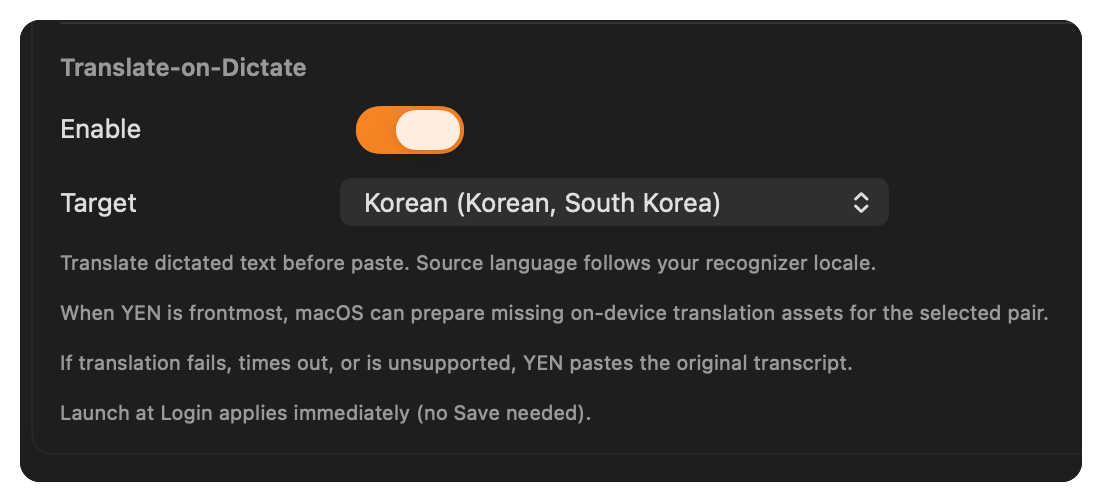
If translation is enabled and the selected language pair is ready, YEN pastes translated text.
If not, YEN pastes the original transcript.
No extra prompt flow. No cloud dependency requirement from us.
Why This Is Experimental
Translation is now explicitly positioned as experimental and off by default.
That keeps the default dictation path stable while we gather real usage and edge-case feedback from opt-in users.
Core speech-to-text behavior stays unchanged when translation is disabled. I’d love feedback on this since I need more folks to try it and see if it works as well as I hope it can! Post your feedback in “chat” off your shell.
What We Hardened
Translate-on-Dictate only runs as a post-processing step on the final transcript:
Live overlay text remains source-language during capture
Source language follows recognizer locale
Target language is explicitly selected in Settings
Settings now filters the target list to language pairs that are actually compatible with the current recognizer locale
When a supported pair is missing assets, YEN can ask macOS to prepare them while YEN is frontmost in Settings
Failure behavior is deterministic:
Translation failed -> paste original transcript
Translation timed out, or the translation availability check stalled -> paste original transcript
Language pair unsupported, still preparing, or model unavailable -> paste original transcript
)lder macOS (no Translation framework runtime) -> paste original transcript
We do not block paste on translation success.
We also now cover both the availability lookup and the translation session with the timeout guard, and we cancel translation sessions on timeout or cancellation to avoid overlap under rapid dictate cycles.
Where To Enable It
Open Cmd + , »»» Sounds »»» Speech Setup »»» Translate-on-Dictate.
Choose your target language, then test in any app where YEN dictation already works.
If macOS still needs translation assets for the selected pair, keep YEN frontmost in Settings for the preparation step. Once the pair is ready, dictation uses it. If it is not ready yet, paste still falls back to the original transcript.
Have fun with it!
— 8