


Hey folks!
I just shipped a new, experimental, and pretty fun visual feature in YEN: Chromatic Window Borders. I’d love for you to give it a try:
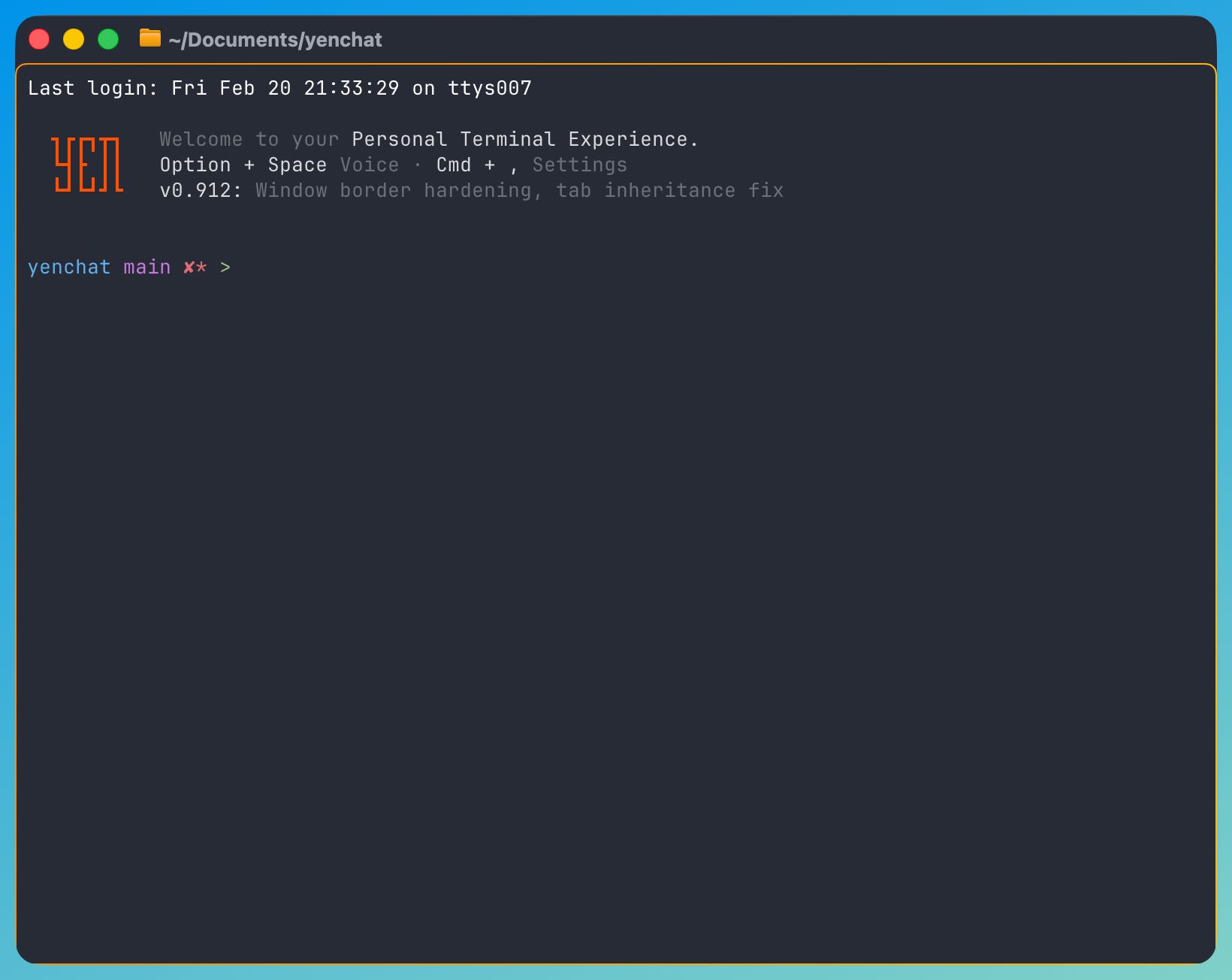
You can make it pretty subtle, like above, or you can make them very thick. It’s up to you. The settings panel addition is pretty easy to use:
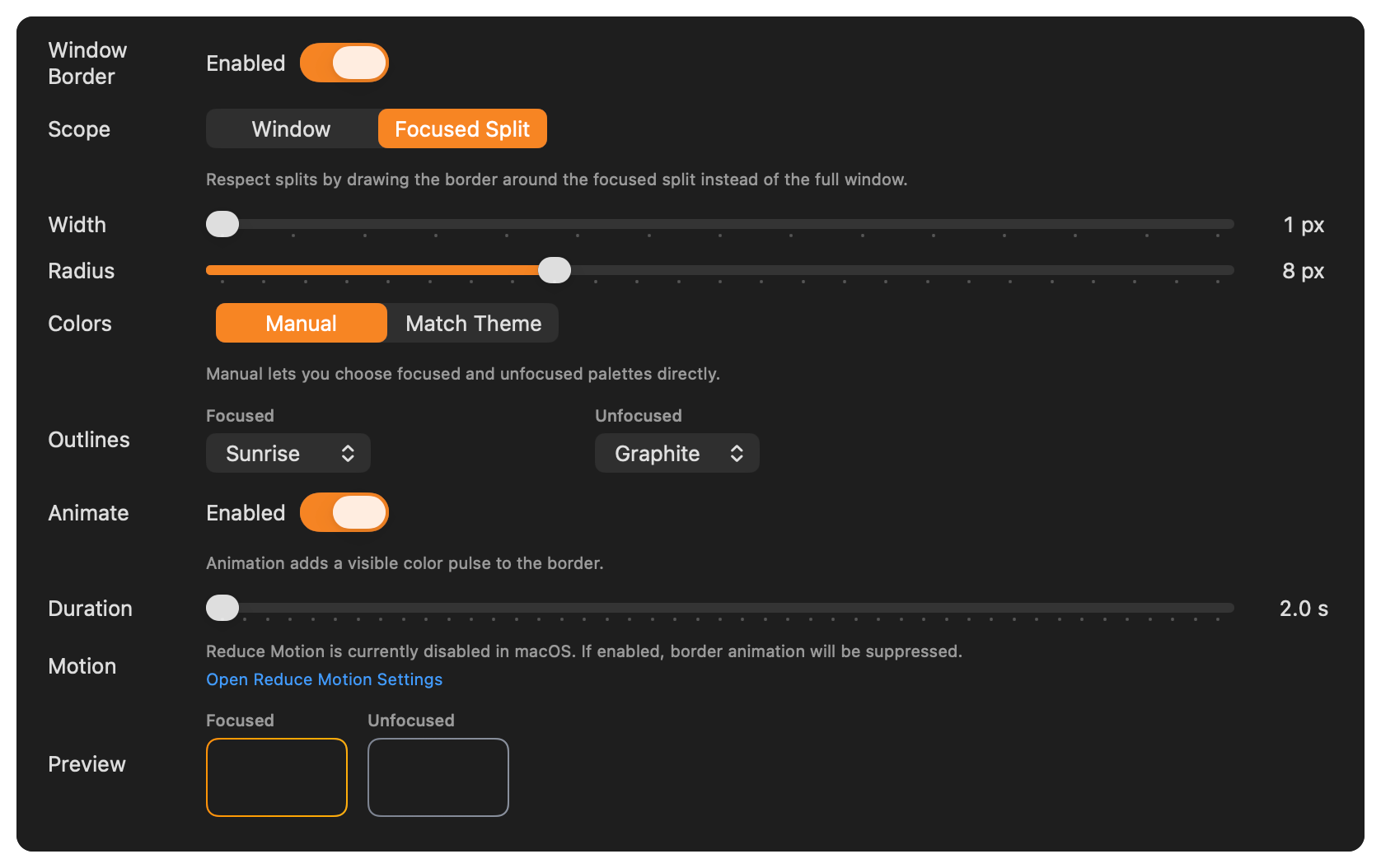
What you get is a first-class window-level feature with:
Native Settings controls
Focus-aware palettes
Match Theme color mode with live theme-switch updates
Native-style preview swatches and radius tuning policy
Optional non-rotating color pulse motion with Reduce Motion guardrails
Accessibility fallback when Differentiate Without Color is enabled
Command palette actions
Screenshot parity with what you actually see on screen
Here’s a quick video for you:
Fun times.
Command Palette Integration
Cmd + Shift + P now includes window border quick actions:
Window Border: Toggle
Window Border: Toggle Match Theme
Window Border: Cycle Focused Palette
Window Border: Cycle Unfocused Palette
Window Border: Toggle Animation
Chromatic Window Borders is now a shipped, first-class YEN feature; it’s native, deterministic, and practical with real-time controls. I hope you like it.
-- 8